





















Lead Forms Without a Code: How to Collect Contacts Directly on Facebook
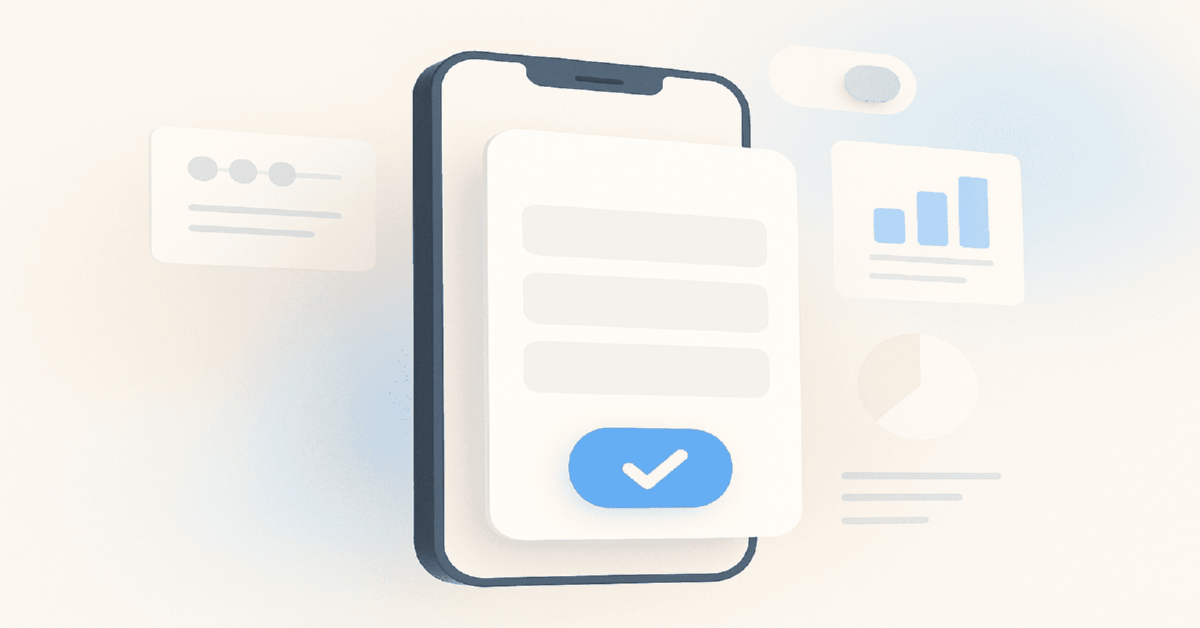


Table Of Contents
- What Changed in Lead Forms in 2026
- How Facebook Instant Forms Work
- Setting Up Your First Lead Form: Step-by-Step
- Form Type Comparison: More Volume vs Higher Intent
- Lead Quality QA: The Checklist
- Real Case: Lead Form Setup That Reduced CPL by 44%
- Advanced: Conditional Logic and Appointment Scheduling
- Quick Start Checklist
- What to Read Next
Updated: April 2026
TL;DR: Facebook Instant Forms let you collect leads without a website — the form opens inside the Facebook app in under 2 seconds. Average lead cost via Instant Forms is 30-50% lower than traffic campaigns to external landing pages, but lead quality requires active QA. Need accounts ready for lead campaigns right now? Browse verified Facebook ad accounts — tested before dispatch, 1-hour replacement guarantee.
| ✅ Use Instant Forms if | ❌ Skip them if |
|---|---|
| You have no landing page or it loads slowly | Your offer requires full product demo before conversion |
| CPL from traffic campaigns is too high | You need pixel event data for retargeting (forms give limited data) |
| You're testing a new offer before building infrastructure | Your lead quality requires lengthy pre-qualification |
| Mobile traffic is your primary source | You're in a regulated vertical requiring full consent flow |
| You want leads synced directly to CRM | Your sales team needs context from a full landing page session |
Facebook Instant Forms (also called Lead Ads or lead generation forms) are native forms that open directly within the Facebook app when a user clicks your ad. No website redirect, no page load — the form appears in under 2 seconds with fields pre-populated from the user's Facebook profiledata: name, email, phone, city.
According to Meta Business data, Instant Forms reduce friction in the conversion path by eliminating the redirect step that accounts for 30-60% drop-off between ad click and landing page arrival on mobile. With Facebook's 94%+ mobile traffic share (Meta, Q4 2025), this friction reduction is substantial.
What Changed in Lead Forms in 2026
Five updates that affect how you set up and QA forms this year:
- Higher-intent form type is now the default recommendation. Meta's algorithm increasingly favors "Higher intent" forms (with a review step) for lead quality optimization. "More volume" forms are still available but require manual selection.
- CRM integrations via native connections expanded. Meta now natively connects to 30+ CRMs including HubSpot, Salesforce, Zoho, and Pipedrive without third-party tools. This removes the need for Zapier/Make for basic lead routing.
- Instant Form leads can now trigger CAPI events. When a form is submitted, Meta can fire a Leads event server-side, improving signal quality for campaigns optimizing for leads objective.
- Custom disclaimers with links are mandatory in regulated verticals. Finance, healthcare, and real estate in EU/US require verified custom disclaimers — not just the auto-populated privacy policy link.
- Form analytics dashboard expanded. You can now see drop-off rates per form question, letting you identify which question kills completion — critical for QA.
How Facebook Instant Forms Work
When a user clicks your lead ad:
- The Instant Form opens within the Facebook app (no app switch).
- Fields pre-populate with profile data: name, email, phone.
- User reviews or edits pre-filled data.
- If "Higher intent" type: user sees a summary screen before final submission.
- On submit: lead is stored in Ads Manager, optionally synced to CRM, and Pixel/CAPI fires the Lead event.
The whole interaction: under 30 seconds for a pre-filled form. Under 60 seconds for a custom question form. This speed is the primary quality-volume tradeoff — fast forms collect more leads; longer forms pre-qualify them.
Related: Snapchat for Lead Generation in 2026: Forms, Swipe-Ups, and Conversion Funnels
Setting Up Your First Lead Form: Step-by-Step
Step 1: Create the Campaign
- Open Ads Manager → Create campaign.
- Select objective: Leads.
- At ad set level: choose conversion location → Instant Forms.
- Set targeting as normal.
Step 2: Build the Form
At the ad level, scroll to "Lead form" → Create new form.
Form settings:
- Form type: Choose "Higher intent" for better quality. Choose "More volume" only if CPL optimization matters more than lead quality — typically for verticals with low-value individual leads.
- Intro screen: Optional but recommended. Add your headline, image, and 3 bullet points on what the user gets. This sets context and pre-qualifies intent.
- Questions: Use pre-filled questions (email, phone, name) for volume. Add 1-3 custom questions for qualification. Each additional custom question typically drops form completion by 10-20%.
- Custom questions types: Short answer, multiple choice, conditional (answer to Q1 determines Q2), appointment scheduling, file upload.
- Privacy policy: Required. Link to your actual privacy policy page — not a placeholder.
- Thank you screen: Don't leave it blank. Add a next step: "Download your guide", "We'll call you within 2 hours", or link to your website.
Step 3: Connect CRM or Download Leads
Option A — Native CRM integration: Ads Manager → Publishing tools → Instant Forms → Leads setup → connect your CRM. Direct sync, real-time.
Related: How to Deal With Low-Quality Leads and Click Fraud in Google Ads Arbitrage
Option B — Zapier/Make webhook: If your CRM isn't natively supported, use webhook automation. Lead submits → Zapier catches the webhook → pushes to CRM. Latency: under 5 minutes.
Option C — Manual CSV download: Ads Manager → Publishing tools → Instant Forms → Download leads. CSV export, manual process. Acceptable for small volume; not recommended above 50 leads/day.
⚠️ Important: Facebook stores leadsfor a maximum of 90 days. After 90 days, lead data is permanently deleted from Ads Manager. If your CRM integration fails silently, you can lose 3 months of lead data without notification. Set up a monitoring alert or secondary CSV backup export weekly.
For a solid Business Manager setup before launching lead campaigns, see Meta Business Manager setup from scratch (2026).
Form Type Comparison: More Volume vs Higher Intent
| Feature | More Volume | Higher Intent |
|---|---|---|
| Review step | No | Yes (summary before submit) |
| Typical CPL | Lower | 20-40% higher |
| Lead quality | Lower (more tire-kickers) | Higher |
| Completion rate | Higher | Lower |
| Best for | Volume testing, cheap niche, high-frequency recontact | Sales-qualified leads, high-ticket, finance |
The choice isn't permanent. Run both form types as an A/B test: same ad, same targeting, different form type. Measure CPL and lead-to-appointment rate (not just CPL). Higher intent forms often win on cost-per-appointment even if they lose on cost-per-lead.
Need reliable accounts to run lead campaigns at scale? Verified Facebook ad accounts with tested delivery — 250,000+ orders fulfilled.
Related: LinkedIn Ads for SaaS and Tech in 2026: Lead Forms, Targeting, and Cost Benchmarks
Lead Quality QA: The Checklist
Poor lead quality is the most common complaint about Instant Forms. It's usually fixable. Work through this checklist:
Before Launch (Form Design QA)
- [ ] Intro screen explains exactly what the user gets after submitting
- [ ] At least 1 custom qualifying question (e.g., "What's your monthly budget?", "Do you own or rent?")
- [ ] "Higher intent" form type selected (unless testing volume)
- [ ] Thank you screen includes a specific next step and timeline
- [ ] Privacy policy link points to a real, accessible page
- [ ] Form tested from a personal Facebook profile (submit a test lead)
After Launch (Performance QA)
- [ ] Check form analytics: which question has highest drop-off?
- [ ] If drop-off > 50% on a custom question: simplify or remove it
- [ ] Review lead quality with sales team after first 50 leads
- [ ] If > 40% of leads are unreachable: tighten targeting, switch to Higher intent
- [ ] If CPL is acceptable but lead-to-close rate is < 5%: add a qualifying question
- [ ] Monitor for duplicate leads (same email submitted multiple times — CRM deduplication essential)
⚠️ Important: A known issue with Instant Forms: users sometimes submit accidentally — the "submit" button is large and positioned near the scroll area on mobile. "Higher intent" form type adds a review step that eliminates most accidental submissions. If your uncontactable rate is above 30%, switch form types before changing targeting.
Real Case: Lead Form Setup That Reduced CPL by 44%
Situation: A real estate agency running traffic campaigns to a landing page. CPL $38, mobile drop-off rate from click to form submission: 67%. Landing page load time on mobile: 4.1 seconds.
Action: Switched to Instant Forms with Higher intent type. Added one custom qualifying question: "Are you looking to buy in the next 3 months, 6 months, or just exploring?" Added a thank you screen with "Our agent will call you within 2 hours." Connected CRM via Zapier.
Result after 30 days: - CPL: $38 → $21 (−44%) - Lead-to-appointment rate: 18% → 22% (qualifying question filtered casual browsers) - Uncontactable leads: 41% → 19% (Higher intent eliminated accidental submissions) - Total leads: +60% at same budget (lower CPL = more leads per dollar)
The qualifying question added 8 seconds to form completion time but improved lead quality enough to justify the volume trade-off.
For setting campaign objectives correctly before building lead forms, see Facebook Ads Objective in 2026: Traffic vs Leads vs Messages.
Advanced: Conditional Logic and Appointment Scheduling
Conditional Questions
Facebook Instant Forms support conditional branching: answer to question 1 determines which question 2 is shown.
Example flow for a finance vertical: - Q1: "What financial product are you interested in?" → Options: Mortgage / Personal loan / Investment - If Mortgage → Q2: "What's the property value range?" - If Investment → Q2: "What's your current investable capital?"
This creates a form that feels shorter (users only see relevant questions) while collecting more precise qualification data.
Appointment Scheduling
In 2026, Instant Forms include native scheduling: users pick a time slot from your calendar directly in the form. No Calendly redirect. Setup requires connecting a Google Calendar or Microsoft Calendar in Meta's Business Suite.
This is particularly powerful for service businesses (consultants, agencies, clinics) where the conversion goal is a booked call rather than a general inquiry. Appointment leads have significantly higher show rates than call-back leads because the user committed to a specific time.
Build your full launch stack: farm accounts for testing lead form variants + $250-limit profiles for scaling proven forms.
Quick Start Checklist
- [ ] Create campaign with Leads objective, conversion location: Instant Forms
- [ ] Choose "Higher intent" form type
- [ ] Write intro screen: headline + 3 benefit bullets
- [ ] Add pre-filled fields: email, phone, full name
- [ ] Add 1-2 custom qualifying questions
- [ ] Add privacy policy link (real URL, not placeholder)
- [ ] Write a specific thank you screen with timeline and next step
- [ ] Submit a test lead from your personal profile
- [ ] Connect CRM integration or set up Zapier webhook
- [ ] Set calendar reminder to export CSV backup weekly (lead data expires at 90 days)
- [ ] Check form analytics after first 50 leads for drop-off by question
What to read next: - Campaign goals → Facebook Ads Objective in 2026: Traffic vs Leads vs Messages - Retargeting form openers → What Is Retargeting in Facebook Ads and Why Even Small Businesses Need It - Business Manager setup → Meta Business Manager setup from scratch (2026) - Tracking → Postback and S2S (CAPI) in Facebook tracking
What to Read Next

How TikTok Posting Frequency Affects Reach and Follower Retention
Updated: April 2026 TL;DR: Posting frequency is the single biggest lever for TikTok reach — accounts posting 1-3 times daily see...

Facebook Ads CPM: 2026 Benchmarks & How to Lower Your Cost Per 1,000 Impressions
TL;DR: CPM (Cost Per Mille) is what you pay for 1,000 ad impressions on Facebook. The median CPM in 2026...

TikTok Pixel Setup, Events API & CAPI in 2026: Complete Implementation Guide
TL;DR: TikTok Pixel alone is no longer enough for accurate conversion tracking in 2026. With iOS 17+ signal loss reaching...


