





















Speech-to-Text and Diarization: Transcribing Meetings and Separating Speakers
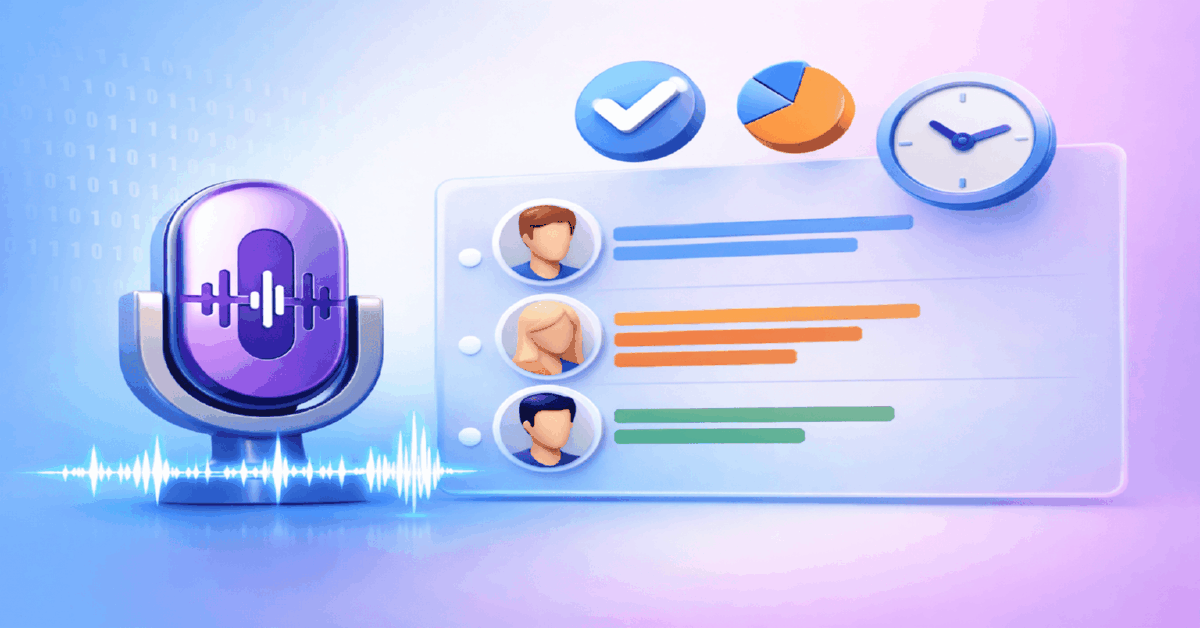


Table Of Contents
- What Changed in Speech-to-Text in 2026
- How Speech-to-Text Works Under the Hood
- Tool Comparison: Speech-to-Text Platforms
- Speaker Diarization: Who Said What
- Practical Use Cases for Marketing Teams
- Setting Up a Transcription Pipeline
- Common Mistakes in Speech-to-Text Workflows
- Accuracy, Language, and Domain: What Degrades Transcription Quality
- Quick Start Checklist
- What to Read Next
Updated: April 2026
TL;DR: Modern speech-to-text with speaker diarization transcribes meetings, calls, and recordings with 95%+ accuracy while labeling who said what. OpenAI Whisper is free and open-source; paid tools like Otter.ai and Descript add real-time collaboration and editing. If you need AI accounts right now — browse ChatGPT, Claude, and Midjourney accounts — over 1,000 accounts in the catalog, 95% instant delivery.
| ✅ Right for you if | ❌ Not right for you if |
|---|---|
| You run team calls and need searchable transcripts | You work solo and never record meetings |
| You repurpose meeting content into blog posts or briefs | You prefer manual note-taking |
| You manage remote teams across time zones and languages | All communication happens via text chat |
Speech-to-text (STT) converts spoken audio into written text. Speaker diarization identifies and labels different speakers within that audio — "Speaker A said X, Speaker B responded Y." Combined, they turn a 60-minute team call into a structured, searchable document in under 5 minutes. For marketing teams, affiliate managers, and media buyers coordinating across GEOs, this eliminates hours of manual note-taking.
According to Bloomberg Intelligence, the generative AI market reached $67 billion in 2025, and speech recognition is one of its most mature and practical applications.
- Record your meeting (Zoom, Google Meet, or standalone recorder)
- Upload the audio file to an STT service (Whisper, Otter.ai, Descript)
- The model transcribes speech and identifies individual speakers
- Review and correct any errors in the transcript
- Export as text, subtitles (SRT), or structured meeting notes
- Share with the team or feed into a content pipeline
What Changed in Speech-to-Text in 2026
- OpenAI Whisper v3 Turbo cut transcription time by 60% while maintaining 95%+ accuracy across 100+ languages
- Otter.ai launched OtterPilot for Sales — automatic meeting summaries with action items extracted by AI
- Google integrated Gemini-powered transcription into Google Meet, available to all Workspace users
- Assembly AI launched Universal-2 — the first model to match human transcription accuracy (4% WER) on broadcast-quality audio
- Real-time diarization latency dropped below 500ms, enabling live speaker labels during calls
How Speech-to-Text Works Under the Hood
Modern STT uses transformer-based models trained on hundreds of thousands of hours of multilingual audio. The process:
- Audio preprocessing — normalize volume, remove silence, segment into chunks
- Feature extraction — convert audio waveform into mel-spectrogram features
- Sequence-to-sequence decoding — the model predicts text tokens from audio features
- Language model correction — post-processing fixes grammar, punctuation, and proper nouns
- Diarization — a separate model clusters voice embeddings to identify distinct speakers
The best models (Whisper, Assembly AI Universal-2) achieve word error rates (WER) of 4-8% on clean audio — comparable to professional human transcribers.
⚠️ Important: Transcription accuracy drops significantly with poor audio quality. Background noise, crosstalk, and low bitrate can push WER above 20%. Always record meetings at the highest quality available and use noise reduction (Adobe Podcast Enhance, Auphonic) before transcription.
Related: How to Evaluate AI Results: Quality Metrics, Usefulness, and Trust
Case: Affiliate manager coordinating 12 media buyers across 4 time zones. Problem: Weekly strategy calls lasted 90 minutes. Manual notes missed 40% of action items. Buyers in different GEOs could not attend live. Action: Recorded all calls via Zoom, transcribed with Otter.ai OtterPilot, diarization auto-labeled each buyer. AI extracted action items and decisions. Result: Meeting documentation time dropped from 2 hours to 10 minutes. Action item completion rate rose from 55% to 87%. Async buyers consumed transcripts on their schedule.
Tool Comparison: Speech-to-Text Platforms
| Tool | Accuracy (WER) | Diarization | Real-time | Price From | Best For |
|---|---|---|---|---|---|
| Whisper v3 (OpenAI) | 4-8% | ⚠️ Via plugins | ❌ | Free (open-source) | Developers, batch processing |
| Otter.ai | 5-9% | ✅ Auto | ✅ | $8.33/mo | Team meetings, sales calls |
| Assembly AI | 4-6% | ✅ Auto | ✅ | $0.37/hr | API-first, high accuracy |
| Descript | 5-8% | ✅ Auto | ❌ | $24/mo | Video + audio editing |
| Google Meet (Gemini) | 6-10% | ✅ Auto | ✅ | Workspace plan | Google ecosystem users |
| Deepgram | 5-8% | ✅ Auto | ✅ | $0.25/hr | Real-time streaming |
Need AI accounts for transcription and content workflows? Check out AI accounts at npprteam.shop — ChatGPT for summarization, Claude for analysis, instant delivery on 95% of orders.
Related: How to Choose a Neural Network for Your Task: Text, Images, Video, Code, and Analytics
Speaker Diarization: Who Said What
Diarization is what turns a raw transcript into a structured conversation. Without it, you get a wall of text with no attribution. With it, every sentence is tagged to a specific speaker.
How Diarization Works
- The model extracts speaker embeddings — unique voice fingerprints for each person
- Clustering algorithms group segments by speaker similarity
- Each cluster is assigned a speaker label (Speaker 1, Speaker 2, etc.)
- If participants are known, labels can be mapped to real names
Accuracy Benchmarks
- 2 speakers, clean audio: 95-98% diarization accuracy
- 3-5 speakers, clean audio: 88-94% accuracy
- 6+ speakers or crosstalk: 75-85% accuracy — requires manual correction
- Phone/low-quality audio: accuracy drops 10-15% across all scenarios
When Diarization Fails
- Crosstalk — two people speaking simultaneously
- Similar voices — two speakers with near-identical pitch and cadence
- Short utterances — "yes," "okay," "right" are hard to attribute
- Background speakers — TV, radio, or ambient conversations
⚠️ Important: Confidential business calls should not be uploaded to third-party transcription services without reviewing their data handling policies. Whisper runs locally — no data leaves your machine. Cloud services (Otter.ai, Assembly AI) process data on their servers.
Related: AI Content Detection: How to Reduce Moderation and Sanction Risks in 2026
Practical Use Cases for Marketing Teams
1. Meeting Documentation
Record strategy calls, creative reviews, and client meetings. Diarized transcripts become searchable archives. Search "budget" across 50 meeting transcripts to find every conversation about spending.
2. Content Repurposing
A 60-minute expert interview becomes 5-10 blog post outlines when fed through ChatGPT or Claude with the transcript. According to OpenAI, ChatGPT serves 900+ million weekly users (OpenAI, 2026) — making it the most accessible summarization tool.
3. Competitor Call Analysis
Record competitor webinars and product demos. Transcribe and analyze messaging, positioning, and feature claims. Build your counter-positioning based on what they actually say versus what they write.
4. Sales Call Review
Transcribe sales calls, identify objections, track win/loss patterns. Otter.ai OtterPilot extracts action items automatically — no manual review required.
5. Subtitle Generation for Video Ads
Whisper outputs SRT subtitle files directly. For media buyers producing video ads, this means automatic subtitles in 100+ languages with minimal manual editing.
Case: Marketing agency managing 8 clients, 40+ weekly calls. Problem: Account managers spent 6-8 hours/week writing meeting notes. Key decisions were lost or misremembered. Action: Deployed Otter.ai Enterprise across the team. All client calls auto-transcribed with diarization. AI summaries with action items sent to Slack within 5 minutes of call ending. Result: Note-taking time dropped to zero. Client disputes about "what was agreed" dropped by 90%. Content team repurposed call transcripts into 15 blog posts per month.
Setting Up a Transcription Pipeline
Option 1: Free Pipeline (Whisper)
Install Whisper locally or use a free hosted version (Hugging Face Spaces). Process:
- Record meeting → export as MP3/WAV
- Run
whisper audio.mp3 --model large-v3 --language en - Output: text transcript + SRT subtitles
- For diarization, add
pyannote.audioorwhisperx - Post-process with ChatGPT for summarization and action items
Cost: $0 (requires GPU for fast processing — CPU works but is 10-20x slower).
Option 2: Managed Solution (Otter.ai / Assembly AI)
Sign up, connect to your calendar, let the tool auto-join and transcribe meetings.
- Otter.ai OtterPilot joins Zoom/Meet/Teams automatically
- Transcription + diarization happens in real-time
- AI summary with action items generated post-call
- Searchable archive across all meetings
Cost: $8.33-$30/mo per user.
Option 3: API Pipeline (Assembly AI / Deepgram)
For teams processing large volumes of audio programmatically:
- Upload audio via API
- Receive JSON response with transcript, timestamps, and speaker labels
- Feed into your CRM, project management, or content pipeline
- Automate with n8n, Zapier, or custom scripts
Cost: $0.25-0.37/hour of audio.
Common Mistakes in Speech-to-Text Workflows
- Transcribing low-quality audio — garbage in, garbage out. Clean audio first, then transcribe.
- Skipping diarization — a transcript without speaker labels is 50% less useful for team workflows.
- Not reviewing automated summaries — AI summaries miss nuance. Spend 2 minutes reviewing before sharing.
- Using the wrong model for the language — Whisper is best for English. For Mandarin, Japanese, or Arabic, test Assembly AI or specialized models.
- Ignoring timestamps — timestamps let you jump to specific moments. Always include them in your output format.
Accuracy, Language, and Domain: What Degrades Transcription Quality
Speech-to-text accuracy varies dramatically based on factors most users don't control: audio quality, speaking style, domain-specific vocabulary, and language model training data. Understanding what degrades accuracy — and how to compensate — is more practical than comparing benchmark numbers, because benchmarks are measured on clean, studio-recorded speech that rarely matches real meeting or call-center audio.
Background noise is the most common quality degrader. Open-plan office recordings, client calls on mobile connections, and webinar recordings with compression artifacts all introduce noise patterns that STT models handle inconsistently. Whisper (OpenAI's model, available as API and open-source) is notably robust to background noise compared to earlier generation models, but it still degrades meaningfully below 15dB SNR. Running a noise reduction pass before transcription — Adobe Podcast's Enhance Speech, Krisp, or basic spectral noise gating in Audacity — can raise word error rate from 15% to 5% on typical meeting recordings, which is a significant practical difference.
Domain vocabulary is the second major accuracy factor. General STT models are trained primarily on news, podcasts, and general conversation. Media buying jargon ("CPM," "ROAS," "lookalike audience," "retargeting pixel"), medical terminology, legal language, and technical product names all see elevated error rates. The practical solution is custom vocabulary injection: most enterprise STT platforms (AssemblyAI, AWS Transcribe, Azure Speech) accept a custom vocabulary or domain glossary that biases the model toward domain-specific terms. Adding 50–200 domain terms can reduce errors on those terms by 60–80%.
Accent and multilingual audio are the third reliability consideration. Whisper handles accented English well across major accent varieties (Indian English, British English, Australian English, non-native speakers) and supports 99 languages with varying accuracy. For Spanish, French, German, and Portuguese, accuracy is typically 90–95% word accuracy on clean audio. For less-resourced languages or heavy regional accents within major languages, expect accuracy in the 80–88% range — sufficient for content search and summarization but requiring human review for verbatim transcripts.
The practical benchmark for business use: WER (Word Error Rate) below 10% is sufficient for meeting summarization and action item extraction, where context compensates for individual word errors. WER below 5% is needed for verbatim transcripts used in legal, compliance, or accessibility contexts. Measure your specific audio type and use case before committing to a pipeline — benchmark numbers from vendor marketing rarely reflect your actual recording conditions.
Quick Start Checklist
- [ ] Choose a tool: Whisper (free), Otter.ai (managed), or Assembly AI (API)
- [ ] Record a test meeting at highest audio quality
- [ ] Run noise reduction before transcription (Adobe Podcast Enhance)
- [ ] Transcribe with diarization enabled
- [ ] Review accuracy — correct any errors in the first 3 transcripts to calibrate expectations
- [ ] Set up automated pipeline (calendar integration or API)
- [ ] Feed transcripts into ChatGPT or Claude for summarization
Ready to build AI-powered workflows? Get AI accounts with active subscriptions at npprteam.shop — founded in 2019, support in English and Russian, response time 5-10 minutes.
What to Read Next

Keyword Selection for Google Ads Media Buying: Stop Wasting Budget on Wrong Search Terms
Updated: April 2026 TL;DR: Picking the right keywords in Google Ads separates profitable campaigns from budget drains. According to WordStream, the...

Best TikTok Creative Formats for Media Buying: What Actually Converts in 2026
Updated: April 2026 TL;DR: The highest-performing TikTok ad creatives in 2026 look like organic content — UGC demos, 3-step tutorials, and...

Stories vs Spotlight on Snapchat: What, Where, and How to Post for Growth
Updated: April 2026 TL;DR: Stories build loyalty with your existing followers while Spotlight pushes your content to millions of strangers through...


