





















Computer Vision: Detection, Segmentation, OCR, and Multimodal Models
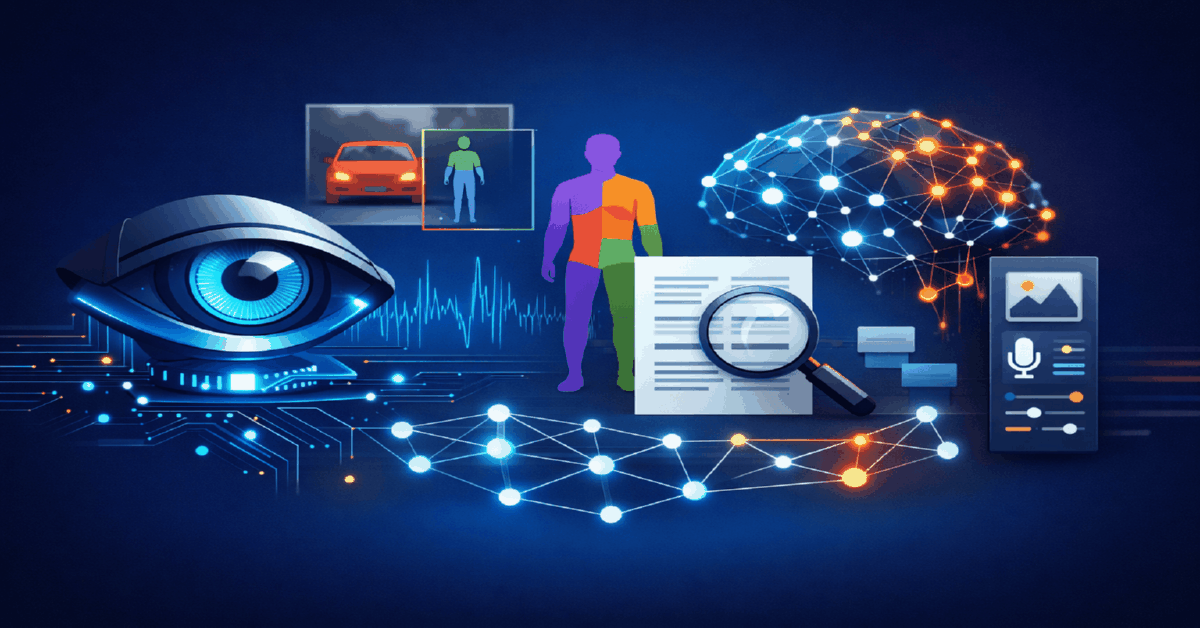


Table Of Contents
- What Changed in Computer Vision in 2026
- Object Detection: Finding What Matters in Images
- Image Segmentation: Isolating Elements with Pixel Precision
- OCR: Extracting Text from Visual Content
- Multimodal Models: Vision + Language Combined
- Building a Computer Vision Pipeline
- Common Mistakes in Computer Vision Workflows
- Computer Vision for Ad Creative Analysis: Practical Applications
- Quick Start Checklist
- What to Read Next
Updated: April 2026
TL;DR: Computer vision in 2026 handles object detection, image segmentation, OCR, and multimodal understanding through unified models like GPT-4o and Gemini. Media buyers use these tools to automate creative QA, extract competitor ad data, and build visual analysis pipelines. If you need AI accounts right now — browse ChatGPT, Claude, and Midjourney accounts — instant delivery on 95% of orders, 250,000+ orders fulfilled since 2019.
| ✅ Right for you if | ❌ Not right for you if |
|---|---|
| You analyze competitor creatives at scale | You run fewer than 10 creatives per month |
| You need automated QA for ad compliance | Manual creative review works fine for your volume |
| You extract text from screenshots or ad libraries | You do not work with visual content |
Computer vision is the AI field that gives machines the ability to interpret visual information — images, videos, and documents. In 2026, it breaks down into four core capabilities: object detection (finding and locating objects in images), segmentation (isolating specific regions pixel by pixel), OCR (extracting text from images), and multimodal understanding (combining vision with language for reasoning about visual content).
For marketers and media buyers, computer vision is not abstract research — it is a practical toolkit for competitive analysis, creative QA, ad compliance checking, and data extraction from visual sources.
According to Bloomberg Intelligence, the generative AI market reached $67 billion in 2025 and is projected to hit $1.3 trillion by 2032. Computer vision models are at the core of this growth.
What Changed in Computer Vision in 2026
- GPT-4o became the default multimodal model — vision, text, and audio in one API call
- Google Gemini 2.0 Flash launched with native vision capabilities, processing images at 3x the speed of GPT-4o
- Meta released SAM 2 (Segment Anything Model 2) — real-time video segmentation, not just images
- YOLO v10 achieved 50+ FPS object detection on consumer GPUs with no compromise on accuracy
- According to HubSpot (2025), 72% of marketers use AI tools — visual AI adoption grew fastest among e-commerce and performance teams
Object Detection: Finding What Matters in Images
Object detection identifies and locates specific items within an image — drawing bounding boxes around each detected object with a confidence score.
Use Cases for Media Buyers
- Creative compliance checking — detect prohibited elements (alcohol, weapons, exposed skin) before submitting ads
- Competitor creative analysis — automatically categorize competitor ad elements: product shots, human faces, text overlays, CTA buttons
- Brand safety — scan UGC content for inappropriate objects before featuring in campaigns
- Product detection in spy tools — identify which products competitors advertise most frequently
Key Models and Tools
| Model | Speed | Accuracy | Best For |
|---|---|---|---|
| YOLO v10 | 50+ FPS | 94% mAP | Real-time detection, edge deployment |
| DETR (Meta) | 15 FPS | 95% mAP | High accuracy, complex scenes |
| GPT-4o Vision | ~3 sec/image | 92%+ | Natural language queries about images |
| Gemini 2.0 Flash | ~1 sec/image | 93%+ | Fast multimodal analysis |
⚠️ Important: Object detection models trained on general datasets may miss niche objects relevant to your vertical (specific supplement bottles, casino interfaces, etc.). For specialized use cases, fine-tune on 200-500 labeled examples from your domain. See also: how a neural network learns: training, validation, and retraining.
Case: E-commerce team running 200+ product ads per week on Facebook and TikTok. Problem: 15% of ads were rejected for compliance violations — wrong background, missing disclaimers, prohibited visual elements. Manual review took 4 hours/day. Action: Built a YOLO v10-based QA pipeline that scans each creative for prohibited elements (alcohol, before/after imagery, excessive text). Flagged creatives go to human review; clean ones auto-upload. Result: Rejection rate dropped from 15% to 3%. QA time reduced from 4 hours to 20 minutes per day. Savings: $2,000+/month in wasted ad spend on rejected creatives.
Related: AI Content Detection: How to Reduce Moderation and Sanction Risks in 2026
Image Segmentation: Isolating Elements with Pixel Precision
Segmentation goes beyond bounding boxes — it identifies the exact pixels that belong to each object. This enables:
- Background removal — isolate products from backgrounds for clean ad creatives
- Subject isolation — extract people, products, or text from complex scenes
- Mask generation — create precise masks for inpainting, outpainting, or style transfer
Meta SAM 2: The Standard for Segmentation
Meta's Segment Anything Model 2 is the 2026 standard. Point at any object in an image or video — SAM 2 creates a perfect pixel-level mask. It works on video too, tracking objects across frames.
For media buyers, SAM 2 enables: - One-click product isolation from lifestyle photos - Automatic background replacement across 50+ creative variations - Real-time video object tracking for dynamic ad elements
Related: Video Generation Pipelines: Style and Consistency Control for Media Buyers
Practical Pipeline
- Feed image into SAM 2 with a point or text prompt
- Receive pixel-perfect segmentation mask
- Use mask for background removal (replace with brand background)
- Feed into image generation pipeline (Midjourney, DALL-E) for creative variations
- Batch process 100+ images in under 30 minutes
Need AI tool accounts for visual workflows? Check out AI photo and video accounts — Midjourney, DALL-E, and more at npprteam.shop.
OCR: Extracting Text from Visual Content
Optical Character Recognition (OCR) extracts readable text from images, screenshots, PDFs, and video frames. In 2026, OCR is built into multimodal models — you do not need a separate OCR tool.
Use Cases
- Competitor ad text extraction — screenshot competitor ads, extract headlines, CTAs, and offers automatically
- Ad library scraping — extract text from Meta Ad Library screenshots at scale
- Receipt/invoice processing — automate financial data entry from document images
- Creative text QA — verify that text overlays on creatives match approved copy
Model Comparison for OCR
| Model | Handwriting | Multi-language | Structured Output | Price |
|---|---|---|---|---|
| GPT-4o | ✅ Good | ✅ 100+ | ✅ JSON | $2.50/1M tokens |
| Gemini 2.0 | ✅ Good | ✅ 100+ | ✅ JSON | $1.25/1M tokens |
| Google Cloud Vision | ✅ Strong | ✅ 200+ | ✅ JSON | $1.50/1K images |
| Tesseract (open-source) | ⚠️ Weak | ✅ 100+ | ❌ | Free |
For most marketing use cases, GPT-4o or Gemini 2.0 handle OCR as part of a broader visual understanding prompt — no separate OCR step needed. Upload an image, ask "extract all text from this ad creative," and receive structured output.
⚠️ Important: OCR accuracy drops on stylized fonts, curved text, and low-resolution images. For best results, ensure source images are at least 300 DPI. Multimodal models (GPT-4o, Gemini) handle stylized fonts better than traditional OCR engines.
Related: Multimodal AI Models: Text, Images and Video — Real Scenarios, Limits and What Actually Works
Multimodal Models: Vision + Language Combined
The biggest shift in 2026: dedicated computer vision tools are being replaced by multimodal models that handle vision, text, and audio in a single interface.
What Multimodal Models Can Do
- Describe images — "What is happening in this ad creative?"
- Compare images — "How does Creative A differ from Creative B?"
- Extract structured data — "List all products, prices, and CTAs from this screenshot as JSON"
- Answer visual questions — "Does this image comply with Meta's ad policies?"
- Generate from vision — "Create a text description of this image for use as an AI generation prompt"
GPT-4o vs Gemini 2.0 for Vision Tasks
| Capability | GPT-4o | Gemini 2.0 Flash |
|---|---|---|
| Image understanding | ✅ Excellent | ✅ Excellent |
| Video understanding | ⚠️ Frame-by-frame | ✅ Native video |
| Speed | ~3 sec/image | ~1 sec/image |
| Context window | 128K tokens | 1M+ tokens |
| Price per image | ~$0.003 | ~$0.001 |
| Best for | Deep analysis, complex reasoning | Fast batch processing, large docs |
Case: Affiliate team spying on competitor ads across 15 GEOs. Problem: Manual analysis of 500+ competitor creatives per week. Extracting offers, CTAs, and visual patterns took 2 full days. Action: Built a pipeline: screenshotted competitor ads via spy tool API → fed through GPT-4o with structured prompts → extracted headline, CTA, offer, visual style, and compliance status as JSON → stored in database. Result: Competitor analysis time dropped from 16 hours to 45 minutes per week. Identified 3 winning creative patterns that boosted team CTR by 0.8%.
Building a Computer Vision Pipeline
Step 1: Define Your Use Case
Do not build a generic "computer vision system." Start with one specific problem: - Creative compliance QA - Competitor ad analysis - Product background removal - Text extraction from screenshots
Step 2: Choose Your Model
- Real-time detection: YOLO v10 (self-hosted)
- Segmentation: SAM 2 (self-hosted or API)
- OCR + understanding: GPT-4o or Gemini 2.0 (API)
- Batch processing: Gemini 2.0 Flash (cheapest per image)
Step 3: Build the Pipeline
- Image input (upload, screenshot, API fetch)
- Preprocessing (resize, normalize, crop)
- Model inference (detection, segmentation, or multimodal query)
- Post-processing (filter results, format output)
- Output to database, spreadsheet, or next pipeline step
Step 4: Automate
Connect to n8n, Zapier, or custom scripts. Trigger processing automatically when new creatives are uploaded or when spy tools detect new competitor ads.
Common Mistakes in Computer Vision Workflows
- Using multimodal models for latency-critical tasks — GPT-4o takes 2-3 seconds per image. For real-time video processing, use YOLO or SAM 2 locally.
- Ignoring model limitations — no model is 100% accurate. Always include a human review step for high-stakes decisions (compliance, legal).
- Overpaying for OCR — if you only need text extraction, Tesseract is free. Use GPT-4o only when you need understanding, not just extraction.
- Not batching requests — API calls have overhead. Batch 10-50 images per request instead of sending one at a time.
- Training on too little data — fine-tuning object detection requires 200+ labeled examples. Fewer than that produces unreliable results.
⚠️ Important: Scraping competitor ads may violate platform terms of service. Use official APIs (Meta Ad Library API, TikTok Creative Center) where available. Computer vision tools process whatever you feed them — the legal responsibility for sourcing images is yours.
Computer Vision for Ad Creative Analysis: Practical Applications
Computer vision's most direct application for marketing teams isn't in product catalogs or security cameras — it's in creative analysis. Understanding what's visually dominant in your best-performing ads, automatically screening creatives for policy violations before submission, and analyzing competitor creative patterns at scale are all tractable problems with modern CV tools, and they don't require ML engineering expertise to implement.
Creative performance analysis starts with feature extraction. Object detection can identify whether your top-performing ads contain faces (and face placement — upper third vs. centered), product images, text overlays, or specific color regions. When you correlate these features with CTR data, patterns emerge that manual review misses at scale. A team running 200+ ad variants per month can use YOLOv8 or a vision API to tag every creative with detected elements, then join that data with ad platform performance metrics to build a feature importance model. The result is data-driven creative decisions rather than gut feel.
Pre-submission compliance screening is another high-value use case. Facebook, Google, and TikTok all have automated rejection systems for creatives with excessive text overlay, certain image categories, or before/after health claims. Running a lightweight CV check before submission — detecting text area percentage (Facebook's old 20% rule still influences rejection rates), flagging potentially problematic imagery categories, checking aspect ratio compliance — can reduce rejection rates by 30–50%. This directly improves campaign launch velocity and reduces wasted creative production budget.
OCR in creative workflows serves a specific function: extracting text from competitor ad screenshots for competitive intelligence. Tools like Google Cloud Vision API or AWS Textract can process hundreds of competitor ad images in minutes, extracting headline copy, offer structures, and CTA text into structured data. Combined with ad library scraping (Facebook Ad Library, TikTok Creative Center), this gives media buying teams a systematic view of competitor messaging patterns — something manual monitoring can never achieve at the same scale.
Quick Start Checklist
- [ ] Define one specific computer vision use case
- [ ] Choose a model: GPT-4o (understanding), YOLO v10 (detection), SAM 2 (segmentation)
- [ ] Set up API access or local deployment
- [ ] Process 20 test images to validate accuracy
- [ ] Build automation pipeline (n8n, Zapier, or scripts)
- [ ] Add human review step for high-stakes outputs
- [ ] Scale to full production volume
Ready to build AI-powered visual analysis? Get AI accounts with active subscriptions at npprteam.shop — ChatGPT, Claude, and Midjourney accounts, support responds in 5-10 minutes.
What to Read Next

Expertise Without Tediousness on Instagram — How to Explain Complex Topics Simply
Updated: April 2026 TL;DR: Expert content on Instagram does not have to be boring. Reels with simplified explanations get 0.52-2.8% engagement...

Facebook Ads ABO (Ad Set Budget): What It Is & When to Use It Over CBO
TL;DR: ABO (Ad Set Budget Optimization) means you manually assign a budget to each individual ad set, giving you precise...

Gmail Accounts for Marketing in 2026: Types, Sending Limits, and What to Use
TL;DR: Gmail remains one of the highest-deliverability email providers for cold outreach and marketing in 2026, but sending limits (500/day...


