





















How to install a light at home: lamp, window, background — a simple checklist of TikTok videos


Summary:
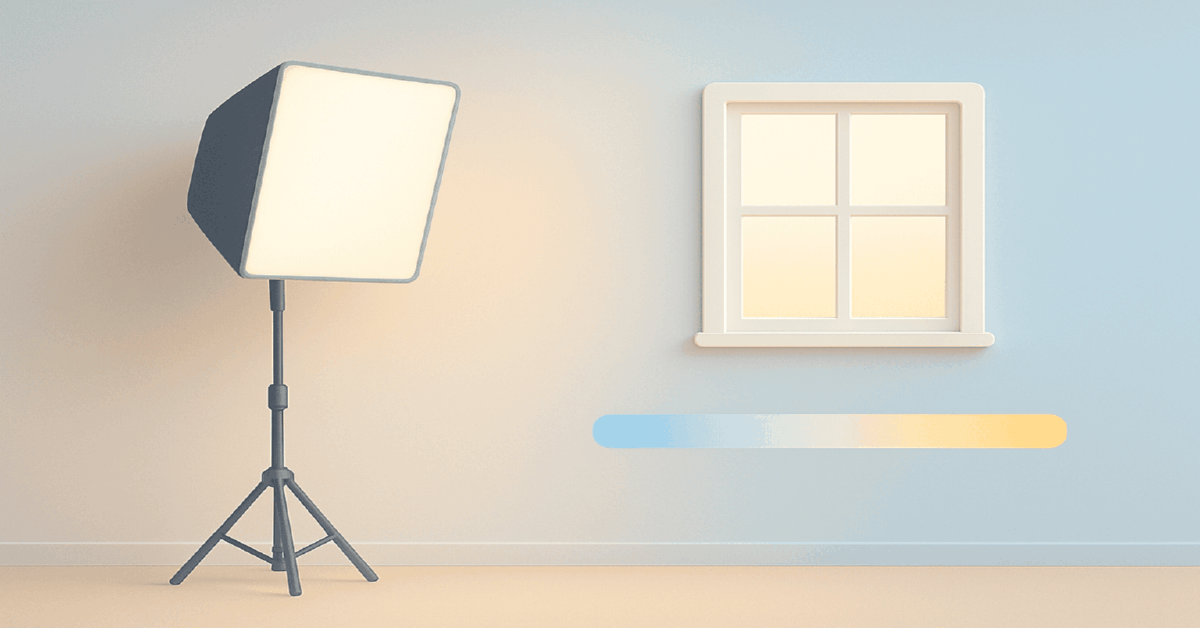
- Workflow: key on face, accent for separation, single CCT; window by day or one soft LED at night.
- Noise: 300–700 lux on the face, lower contrast so ISO drops; avoid mixed CCT that makes skin "dirty".
- Window/lamp/combo: diffuse window + reflector by day, softbox + faint background by night; start with one large source, add separation after stable views.
- Window technique: face the window 30–45° at arm’s length; diffusion and desk 30–60 cm back; cloudy day—LED "booster" at matching CCT.
- Artificial lights: 60–90 cm softbox (30–60 W, CRI/TLCI >95); ring 20–40 W; panel 15–30 W; accent 5–15 W.
- Consistency: lock WB and AE/AF; shutter ~1/50–1/60 at 25–30 fps with 50 Hz anti-flicker; record a 3-sec reference frame; test 9:16; nudge shutter/brightness for PWM banding; recalibrate WB for color casts.
Definition
Home lighting for TikTok is a repeatable setup that keeps skin natural, reduces noise, and separates the subject from the background across many takes. In practice you build a soft key (window or a 60–90 cm softbox), match all sources to one CCT, lock WB and AE/AF, set shutter around 1/50–1/60 with 50 Hz anti-flicker, and verify anchors like 300–700 lux and 1.0–1.5 stops contrast. This supports steady posting and scalable formats.
Table Of Contents
- Home Lighting for TikTok: a compact 2026 checklist
- Window, lamp, or combo for creators at home
- Where to sit relative to a window
- Artificial light at home: ring, softbox, panel
- Color temperature and mixed light control
- How to avoid flicker on phones?
- Exposure and focus discipline on mobile
- Background depth and separation
- Under the hood: five engineering notes
- Micro fixes for skin, glasses, and shine
- Quant targets for stable performance
- Which light should creators actually buy first?
- Pre-roll checklist that saves hours
- Camera app presets and HDR handling for social
- Small room layouts for renters
- Troubleshooting color casts quickly
Home Lighting for TikTok: a compact 2026 checklist
The workflow is simple: soften the face with a broad key, separate yourself from the background with a gentle accent, and lock a single color temperature so skin stays natural. Start with window light in daytime or one soft LED at night, then add a background light as your format matures.
If you’re aligning production with ad scaling, start with a strategy primer — a clear, no-fluff overview of how budgets, creatives and measurement connect in TikTok media buying. Read the field guide here: deep dive into TikTok media buying for 2026.
Predictability is the 2026 baseline. Fewer lighting variables mean steadier watch time and safer scaling: viewers read emotion faster, the algorithm finds similar audiences, and you repeat winning scenes without endless reshoots. For stronger opens, study how to craft a scroll-stopping hook in the first seconds — practical hook patterns that hold attention.
Window, lamp, or combo for creators at home
Daytime works best with a diffuse window and a reflector; evenings shine with a single large softbox plus a faint background accent. The combo stabilizes quality across hours and locations, which keeps your posting cadence intact.
| Setup | Best use | Strengths | Trade offs |
|---|---|---|---|
| Window only | Day shoots near a light wall | Natural color, zero cost | Weather dependent, hard to repeat |
| Lamp only | Evenings and fixed schedules | Repeatable, controlled contrast | Needs a soft modifier and matched CCT |
| Window + lamp | Deep rooms by day | Fills shadows, smooth skin | Requires temperature match |
| Lamp + background accent | Portraits with separation | Depth, premium feel | Extra fixture and cable management |
If budget is tight, buy one large soft source and use a DIY reflector. Upgrade to a background accent after you confirm stable views; separation helps thumbnails and retention in the feed.
Where to sit relative to a window
Face the window at roughly 30–45°, about an arm’s length away, so the source stays broad and gentle. A slight shoulder turn toward the light gives cheekbone contour and clean catchlights.
How to diffuse a hard window quickly
Hang a thin matte curtain or translucent fabric; move the desk 30–60 cm off the window. Heavy cloth kills exposure and shifts color, while light diffusion keeps hue accurate and softens the shadow edge.
Cloudy day rescue
Raise a small LED to act as a "window booster" at the same CCT as daylight. Matching color temperature solves more problems than any skin-smoothing filter. If you’re filming on a basic phone, this step-by-step primer helps polish the image fast — shoot neat TikTok videos on a regular phone.
Artificial light at home: ring, softbox, panel
For phone portraits a larger modifier wins: a 60–90 cm square or octa softbox placed slightly above eye level. Ring lights are fine for beauty but exaggerate texture and eyeglass glare, so they demand careful angles and makeup.
| Light type | Typical power | Source size | Color accuracy |
|---|---|---|---|
| LED with softbox | 30–60 W for a room | 60–90 cm | CRI > 95 / TLCI > 95 |
| Ring light | 20–40 W | 30–45 cm | CRI > 90 |
| Flat panel | 15–30 W | 20–30 cm | CRI > 95 |
| Background accent | 5–15 W RGB/white | n/a | CRI > 90 |
Bigger sources make softer transitions. For sculpted definition, slide the lamp 30–60° off-axis and lift it slightly above the eyes, tilting down just enough to avoid hotspots.
Reflectors and negative fill: the cheapest way to get a "premium" TikTok portrait
Most "cheap-looking" home videos fail because the room turns into a bounce box. White walls fill everything, killing shape and making skin look waxy after compression. Two tools fix this: a white reflector to lift shadows gently, and a black flag (negative fill) to remove stray bounce and carve the face.
| Tool | What it improves | Common mistake |
|---|---|---|
| White reflector | Cleaner skin at lower ISO | Placed too close, face turns flat |
| Black negative fill | Cheekbone contour and depth | Placed behind the subject, weak effect |
| Gray reflector | Natural fill without "beauty" look | Used like white, contrast becomes messy |
Color temperature and mixed light control
Run a single temperature on set. With daylight, target 5200–5600K; with warm interiors, 3000–3500K. If mixing is unavoidable, match the weaker source to the dominant one.
| Scenario | CCT (K) | Where it shines | Skin tone notes |
|---|---|---|---|
| Daylight by window | 5200–5600 | Neutral talk heads | Clean tone, even shadows |
| Warm practicals | 3000–3500 | Cozy, evening lifestyle | Gentle warmth, watch for yellow cast |
| Cool panel look | 6000–6500 | Techy minimal frames | Sharper vibe, risk of plastic feel |
| RGB background | varies | Depth and separation | Keep off skin, use on background |
Lock white balance manually so the phone doesn’t drift mid-take. Auto WB often shifts tint during motion, which cuts poorly in edit. If you finish everything in-app, here’s a no-nonsense walkthrough of the native tools — edit inside TikTok: crop, speed, transitions.
How to avoid flicker on phones?
Use 50 Hz anti-flicker in Europe and set shutter near 1/50–1/60 for 25–30 fps. Prefer LEDs with high-frequency drivers. If banding appears, nudge light brightness or shutter by a small step to de-sync frequencies.
When mixing household bulbs with panels, a tiny change in dim level often eliminates invisible PWM conflicts that create rolling bars.
Exposure and focus discipline on mobile
Tap the face and hold to lock AE/AF, then trim exposure so highlights on skin are intact without clipping. A steady exposure removes "brightness pumping" across cuts and simplifies grading.
In manual-capable apps, keep shutter near 1/50–1/60 for 25–30 fps and run ISO as low as light allows. Slower shutter adds motion blur; faster shutter needs more light and can harden skin artifacts.
Batch shooting protocol: keep the same look across 10 takes and 3 locations
The biggest quality killer in home setups isn’t lack of power — it’s drift. Auto exposure, Auto WB, reflective walls, and even changing shirts make the phone re-interpret the scene every take. A reliable fix is a short batch protocol: lock WB, lock AE/AF on the face, then record 3 seconds of a "reference frame" with no movement. When you move the desk, swap a bulb, or add a background accent, compare against that reference instead of trusting your eyes.
Use two fast checks that don’t require gear: skin highlight integrity (forehead/cheekbone should not clip) and shadow cleanliness (under-cheek shadow should not turn muddy gray). If the image becomes flat, don’t rush to buy another light — add negative fill (a black hoodie, blanket, or foam board) on the shadow side to restore contour without raising ISO.
Background depth and separation
Step a meter off the wall and give the background a faint diagonal wash. A subtle rim from behind and to the side separates hair and shoulders while the key stays soft on the face.
Use background accents when props or textures exist. On flat walls, a gentle gradient is enough. More depth means calmer exposure shifts and smoother transitions at edit points.
Three fast room setups: a 5-minute reposition plan for consistent TikTok portraits
Most creators don’t film in one perfect corner — you bounce between a kitchen, bedroom, and a deep room. The quickest upgrade is changing geometry, not buying more lights: step off the wall, angle the desk diagonally, and make the key "bigger" by moving it closer or diffusing the window.
| Room | Typical issue | Fast fix |
|---|---|---|
| Kitchen | Hard overhead glare and mixed practicals | Turn off ceiling light, use side key, keep background accent subtle |
| Bedroom | Flat "bounce box" from bright walls | Add black negative fill on the shadow side, keep reflector farther away |
| Deep room | Low light forces high ISO | Move key closer, lift slightly above eyes, add chest-level reflector |
This keeps your look repeatable: you only change placement and one or two settings, instead of rebuilding the entire setup every time you switch locations.
Under the hood: five engineering notes
Note 1. The inverse square law is your ally: moving a soft source closer lowers ISO and softens shadows at the same power.
Note 2. CRI/TLCI above 95 preserve skin after platform recompression; fewer hue errors survive the transcode.
Note 3. Warm on skin with neutral or slightly cool on the background exaggerates depth because the eye reads cool as distant and warm as near.
Note 4. Start each scene with two seconds of stillness so auto systems stabilize; cuts look cleaner and color remains consistent.
Note 5. A side reflector beats a chin bounce; bottom fill creates odd nose artifacts, while lateral fill eases shadow without killing cheek shape.
Expert tip from npprteam.shop: "If you can buy only one item, prioritize a bigger modifier over a brighter lamp. Source size beats wattage for flattering skin."
Micro fixes for skin, glasses, and shine
Raise the key slightly above eye level and pivot the head a touch to reduce forehead hotspots. For glasses, lift the light higher, tilt frames forward a millimeter, and turn your head a half-step off axis.
Matte backgrounds cut stray reflections, and mid-tone clothing helps the camera hold exposure without jumps. Avoid micro-sparkle fabrics that alias after compression.
Expert tip from npprteam.shop: "Disable ‘beauty’ auto-enhance. It fights soft light and creates plastic skin. Manual white balance and a big soft key win every time."
Quant targets for stable performance
Aim for 300–700 lux on the face, a light-to-shadow difference around 1.0–1.5 stops for talkers and up to 2 stops for drama, and a key distance of 60–120 cm when using a 60–90 cm modifier.
| Parameter | Target | Why it helps |
|---|---|---|
| Face illuminance | 300–700 lux | Lowers ISO and noise, cleaner skin |
| Contrast range | 1.0–1.5 stops | Emotions read fast in-feed |
| Key distance | 0.6–1.2 m | Softer edge, natural depth |
| Skin temperature | 5200–5600K | Neutral tone without green/magenta drift |
| Background accent | 1–2 stops lower | Separation without stealing focus |
Treat these as your quality anchors. New rooms become quick resets: check lux, verify contrast on the histogram, lock WB, and your image looks consistently "yours."
Expert tip from npprteam.shop: "Frame-test in 9:16 before rolling. Many lighting mistakes hide in horizontal but pop in the vertical crop."
Which light should creators actually buy first?
Start with a mid-power LED and a 60–90 cm softbox. Add a cheap reflector. Only then consider a small RGB or edge light for separation. This ladder keeps look quality rising without costly dead ends, useful for media buying teams validating repeatable formats.
Pre-roll checklist that saves hours
First align all sources to one temperature and lock white balance. Then lock AE/AF on the face, trim exposure to protect highlights, and step away from the wall with a slight torso turn toward the key. The sequence cuts rejects and yields a repeatable look that supports steady reach without reshoots.
Camera app presets and HDR handling for social
Create a reusable preset that stores manual white balance, shutter around the local mains multiple, and moderate sharpening rather than the default high value. Many phones record HDR by default, which can shift perceived brightness and skin rolloff between apps; if your platform flattens highlights unpredictably, disable HDR and expose one third stop lower to keep forehead detail intact.
Use flat or neutral picture profiles when available, since heavy in-camera contrast harms grading consistency across batches. The goal is not cinematic grading but a stable, compressible image that survives platform transcodes without banding or color jumps.
Compression-safe lighting: how to stop TikTok from "breaking" skin and backgrounds
A lot of clips look clean in your camera roll and fall apart after upload because the platform re-encodes aggressively. The safest fix is to reduce micro-detail chaos: avoid busy shelves, tiny patterns, glitter fabrics, and harsh "crunchy" sharpening on skin. Instead, keep the background simple (solid wall or soft gradient) and make the face readable through light, not filters.
Practical rules: expose for skin and protect highlights (forehead/cheekbone should never clip), then keep contrast moderate using a larger source and gentle fill. If your phone’s HDR causes shifting tones or "halo" edges, disable HDR and lock exposure manually. Compression punishes oversharpening and heavy contrast; a slightly softer, stable image usually delivers better watch time than a "crispy" one that turns into artifacts after transcode.
Small room layouts for renters
Position the desk diagonally so the window becomes a three-quarter key while the far wall stays dark for depth. A compact 30–45 cm panel with a clip-on diffuser can live on a boom over the monitor, clearing space and minimizing reflection in glasses. Cable routes along furniture edges prevent light stands from creeping into the frame and reduce micro vibrations that make highlights sparkle.
When ceilings are low, avoid hard bounces that return a top-down glare. A soft feathered key aimed just off the face keeps eyelights present while stopping oily hotspots that HDR exaggerates on shiny paint or glossy cabinets.
Troubleshooting color casts quickly
Green cast usually comes from budget LEDs or mixed daylight with cheap warm bulbs; set a custom white balance using a gray card and dim or replace the offender. Magenta cast often appears after strong cosmetic filters or tinted curtains; remove the filter, neutralize the fabric, and recalibrate. Firmware updates on some fixtures change CCT mapping, so recheck presets when lights have been updated or reset.
| Symptom | Likely cause | Rapid fix |
|---|---|---|
| Banding | PWM mismatch | Adjust shutter slightly or change dim level |
| Plastic skin | Over-sharpen or cool CCT | Lower sharpening, aim for 5200–5600K |
| Yellow forehead | Mixed warm practicals | Match CCT or kill practicals in frame |
| Gray skin | Auto WB drift | Lock WB and re-expose to skin |
Keep a fifteen-second calibration ritual: white balance to a neutral target, confirm histogram without clipping on cheek highlights, and sweep the frame for stray practicals that shift tint. This habit stabilizes batches and prevents color repairs that eat editing time. If you’re setting up multiple creators or devices, consider a quick infrastructure step and buy TikTok accounts to streamline onboarding for tests.

Naming standards: campaigns/adsets/creatives in Facebook Ads
Naming Standards for Facebook Ads in 2026 Campaigns Ad Sets CreativesConsistent, machine readable naming is an operating system for media...

Prompt engineering: query structures, roles, restrictions, examples
Prompt engineering in 2026 is a contract, not a clever sentenceIn 2026, prompt engineering that works in real marketing teams...

How people use bulletin boards: typical buyer and seller scenarios
Why classifieds still matter in 2026 for marketers and media buying teamsIn 2026, a classifieds platform is not "a place...


