





















Beginner security: basic rules (email, passwords, 2FA, bindings) without delving into "gray" schemes
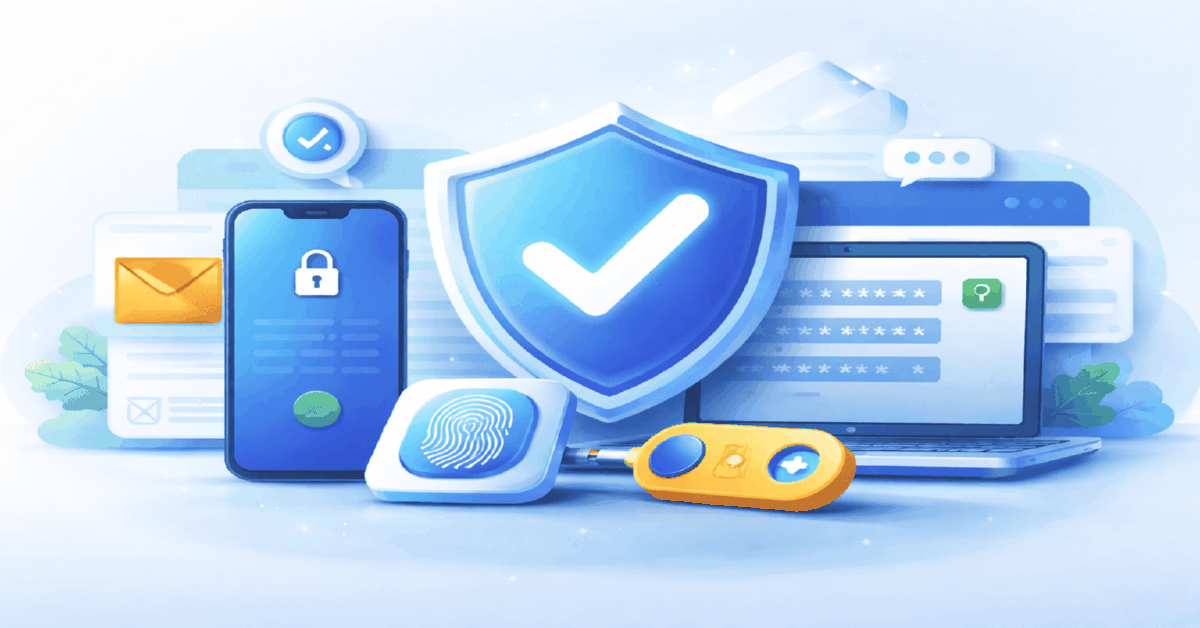


Summary:
- Threat model: phishing logins, recovery-email hijack, session theft from a browser profile, malicious extensions, and password reuse from leaks.
- Fast start: secure the recovery email first, then add generated unique passwords and 2FA on critical services.
- Email hardening: dedicated work mailbox; 2FA + backup codes, sign-in alerts, review devices and active sessions.
- Passwords: never invent them; use a password manager for unique long strings, treat browser storage as higher-risk, avoid notes or sharing in chats.
- 2FA options: SMS is weakest, TOTP and push are baseline with recovery risks, FIDO2/WebAuthn hardware keys are best for email and the password manager.
- Baseline routine: backups in two independent places, separate minimal work browser profile, roles not passwords, weekly review of sessions, recovery links, and extensions.
Definition
This is a practical beginner security baseline for media buying and performance marketing in 2026, focused on quiet takeovers through recovery email, browser sessions, and weak recovery links. The working loop is: harden the recovery mailbox, then move critical services to generated unique passwords (via a password manager) plus strong, recoverable 2FA, and keep backups in two independent places. Weekly session, recovery, and extension checks help prevent drift and reduce blast radius.
Table Of Contents
- Beginner Security Basics for 2026 Email Passwords 2FA Account Linking Without Going Into Gray Areas
- Threat model for a beginner in 2026 what actually gets compromised
- First 30 minutes the fastest order that actually works
- Email is the root asset not just a login
- Passwords in 2026 policy generation storage
- Which 2FA method should you use without making your life harder
- How do you avoid losing accounts when you lose your phone
- Account linking recovery options trusted devices where the hidden risks live
- Sessions cookies devices why people get hit without passwords
- Team access without password sharing the operational safe way
- Under the hood five details that save you when it matters
- Weekly baseline routine that keeps you safe without drama
Beginner Security Basics for 2026 Email Passwords 2FA Account Linking Without Going Into Gray Areas
If you do media buying or performance marketing, security is not an IT hobby. It is uptime. Your ad accounts, pixels, analytics, domains, creatives, billing profiles, and team workflows all sit on a small number of access points. In 2026 most incidents are not "someone brute forced my password." They are quiet takeovers through recovery email, session theft in a browser profile, approval fatigue in push prompts, or a single weak link in account recovery.
This guide is intentionally practical and beginner friendly. It aims for "secure enough to work" without turning daily operations into paranoia. The goal is simple: reduce the chance of losing access and reduce the blast radius if something goes wrong.
Threat model for a beginner in 2026 what actually gets compromised
Most beginner losses follow repeatable patterns: phishing pages that mimic login screens, password reuse from old data leaks, hijacking the recovery channel, malicious or overly privileged browser extensions, and stolen active sessions on a trusted device. Attackers rarely need to be clever if your workflow is predictable and your recovery path is loose.
For a marketer the most valuable target is not "the ad account." It is the chain: recovery email, password manager, trusted devices, browser profile, cloud storage for creatives, analytics and tracking, domain and DNS control, and team tools. If an attacker gets control of the recovery email, they can often reset everything else without "hacking" the platforms directly.
First 30 minutes the fastest order that actually works
If you only have half an hour, start by protecting the root and then lock the doors. The root is your recovery email and its security settings. The doors are unique passwords and strong 2FA on critical services. This order matters because recovery email is how most takeovers become permanent.
Expert tip from npprteam.shop: "If you are unsure what to secure first, secure the recovery email. Losing the email usually means losing the rest, even if your passwords looked ‘strong’."
Make the recovery email a separate mailbox used only for work access and recovery, enable 2FA, save recovery codes, review active sessions, and clean up recovery options. Then set up a password manager and rotate passwords for the most critical services: email, password manager, ad platforms, analytics, and cloud storage. After that, separate your work browser profile and remove unnecessary extensions.
Email is the root asset not just a login
Email is the control plane for password resets, login approvals, security alerts, and account linking. When someone gets into your mailbox, they do not need to brute force your ad accounts. They can calmly reset passwords, change recovery options, and lock you out while everything still looks "normal" on the surface.
What a work mailbox should look like
Use an email address that is not used for newsletters, random signups, old forums, or personal services. The less public footprint it has, the fewer phishing attempts and credential stuffing attacks will target it. Keep the mailbox dedicated to work access and recovery only, so security alerts do not drown in noise.
Minimum email security settings you should enable
Turn on 2FA, generate and store backup codes, review the list of logged in devices, and enable alerts for new sign ins and security changes. Keep recovery methods you can actually control. If a recovery method is tied to a number or device you do not manage tightly, it becomes a weak lever attackers can exploit through social engineering and process abuse.
Passwords in 2026 policy generation storage
The baseline rule is simple: never invent passwords for work. Generate them, make them unique per service, and store them in a secure manager. Password reuse is still one of the fastest ways to lose multiple systems from a single leak.
Password manager versus browser storage
A password manager is not magic, it is discipline automation. It makes unique long passwords the default and reduces human shortcuts. Browser password storage can be acceptable for low risk use, but for professional work it depends heavily on the security of your device and your browser profile. If your browser profile is compromised, saved passwords and active sessions can fall together.
| Approach | Strengths | Weak spots | When it is acceptable |
|---|---|---|---|
| Password manager | Unique long passwords, fewer mistakes, easier rotation, safer sharing options | You must protect the master password and 2FA and keep a recovery plan | Best default for work access |
| Browser password storage | Very convenient, no extra setup | Heavily tied to browser profile and device hygiene, risky with extensions | Only with strict device and profile discipline |
| Notes memory or chat messages | Feels simple | High reuse, weak patterns, accidental leaks through files screenshots and sync | Not recommended for critical access |
What "strong enough" looks like in real work
Strength is not about clever substitutions. It is about randomness, length, and uniqueness. For critical services use generated passwords and avoid personal patterns entirely. Make the password manager and recovery email the strongest points because they control the rest of your stack.
| Access type | Password recommendation | Why this level | Impact if compromised |
|---|---|---|---|
| Recovery email | Generated, very long, unique, never reused | It controls resets approvals and linking | Chain takeover of most connected accounts |
| Password manager | Strong master password plus 2FA, no reuse anywhere | It stores the keys to everything else | Total access collapse if breached |
| Ad platforms | Generated unique password plus 2FA | Common phishing target and high value | Spend abuse, policy violations, account loss |
| Analytics and tracking | Generated unique password plus 2FA | Controls attribution events and insights | Data tampering, stolen strategy, broken reporting |
| Cloud storage for creatives | Generated unique password plus 2FA | Contains source files, landing assets, brand materials | Leaks, sabotage, replacements |
Which 2FA method should you use without making your life harder
2FA is your second lock. It prevents a leaked password from turning into a full takeover. In practice beginners fail not because they skip 2FA, but because they choose a fragile method and have no recovery plan when a phone is lost or upgraded.
Some methods are easier to phish than others. Some are easier to lose than others. The best setup balances security and operational continuity.
| 2FA method | Phishing resistance | Operational risk | Beginner recommendation |
|---|---|---|---|
| SMS codes | Low | Number changes, carrier processes, connectivity dependency | Use only if nothing else is available |
| Authenticator app TOTP | Medium | Phone loss without backup codes can lock you out | Solid baseline when paired with backup codes |
| Push approval | Medium | Approval fatigue, accidental taps, noisy notifications | Good if you stay attentive and review prompts |
| Hardware security key FIDO2 WebAuthn | High | Requires a spare key and good storage habits | Best for email and password manager |
Expert tip from npprteam.shop: "Two places deserve your strongest 2FA: the recovery email and the password manager. If either is weak, the rest of your security becomes a decoration."
How do you avoid losing accounts when you lose your phone
The most common beginner disaster is not a hack, it is self lockout. A phone breaks, an app is reinstalled, a device is replaced, and suddenly the second factor is gone. The fix is straightforward: treat recovery as part of security, not an afterthought.
Backup codes should exist and be reachable even if your email session is gone and your phone is gone. Keep recovery in two independent places so one failure does not wipe everything. Avoid circular setups where your backups are stored behind the same email that requires the same phone to access.
Account linking recovery options trusted devices where the hidden risks live
Linking adds convenience but also creates hidden pathways. A linked phone number, an old recovery email, a trusted device you no longer control, or an outdated "backup method" can become the weakest entry point. Attackers love recovery paths because they bypass your careful password habits.
Review recovery options on critical accounts periodically. Remove what you cannot control, update what changed, and keep at least one recovery method that does not depend on a single device. Trusted devices are helpful, but they must remain trusted in reality, not just in the settings screen.
Sessions cookies devices why people get hit without passwords
Session theft is a quiet problem. If a browser is already trusted, an attacker may not need your password. They may only need a stolen session token, a compromised browser profile, or access to a synced profile on a shared device. That is why "device hygiene" is a real part of security.
Why browser extensions are a high risk zone
Extensions can read pages, modify content, and sometimes interact with authentication flows. A single extension with broad permissions can capture credentials, intercept approvals, or inject phishing overlays. Beginners often install "helper tools" for speed and convenience, and that is exactly the distribution channel attackers exploit.
Keep your work browser profile minimal, remove extensions that are not essential, and avoid installing unknown tools into the environment that holds your email and ad access. Separate work browsing from personal browsing because personal browsing increases exposure to risky installs and random logins.
Team access without password sharing the operational safe way
As soon as a team appears, security becomes workflow. The most damaging mistakes are organizational: passwords passed in chats, shared inboxes, unclear ownership, and "everyone has admin just in case." This creates a situation where no one can audit what happened when something breaks.
The safe principle is simple: grant access, do not share secrets. Use roles and invitations where possible. Use least privilege so each person gets only what they need for the task. Time bound access is a safety tool, not bureaucracy. If you must share a credential, use controlled sharing through a password manager, not a messenger thread that will be searched and forwarded forever.
Pay special attention to domains and DNS, analytics properties, billing profiles, and admin level access on ad platforms. These are the typical points where a single wrong change causes days of downtime.
Under the hood five details that save you when it matters
Detail one: hardware keys using WebAuthn FIDO2 are strongly resistant to phishing because authentication is bound to the real site origin. A fake login page on a lookalike domain cannot complete the same cryptographic handshake in the way a real domain can.
Detail two: SMS based verification is a process risk. Even with a good password, losing control of a number can trigger account recovery changes. It is not about conspiracy, it is about how carrier support and number lifecycle works.
Detail three: authenticator codes are reliable offline, but operationally fragile if you never stored backup codes. Many "I got hacked" stories in practice are "I lost my phone and panicked, then made unsafe recovery decisions."
Detail four: session hijacking often looks like "nothing happened" until money is spent or settings are changed. That is why security alerts and session review are early warning systems, not spam.
Detail five: notifications matter only if they are visible. If security alerts land in an inbox that is flooded with newsletters, you have technically enabled protection but practically disabled it.
Expert tip from npprteam.shop: "Aim for quiet security. When the basics are done right, you do not think about security daily, but an attacker has no easy levers through recovery, weak factors, or chaotic access sharing."
Weekly baseline routine that keeps you safe without drama
Security is not a one time configuration. It is a small routine that prevents drift. Once a week, review active sessions on your recovery email and key services, remove unknown devices, and check whether recovery methods still match what you actually control. Once a week, scan your work browser profile and remove extensions you do not truly need. Once a week, ensure backup codes and recovery options are still accessible and not trapped behind a circular dependency.
If you run multiple projects, segment your access. Separate mailboxes or aliases for different operational zones, separate browser profiles for different work contexts, and separate roles for team members based on tasks. This reduces blast radius even when a mistake happens.
The practical definition of "secure enough" for a beginner is simple: your recovery email cannot be taken easily, your passwords cannot be reused against you, your 2FA is reliable and recoverable, your browser sessions are not exposed by random extensions, and your team access is granted through roles instead of shared secrets. That is how you stay operational in 2026 without living in fear of the next login prompt.

How do I work with groups on LinkedIn?
Why LinkedIn Groups still matter in 2026 for B2B marketing and media buyingIf LinkedIn still feels like "just another platform",...

Subscription types and database segmentation: how do I divide the audience so that emails sell?
When your email list grows faster than your ideas, campaigns start turning into noise. Some subscribers get hammered with irrelevant...

Launchers and ecosystems: Steam, EGS, EA App/Origin, Ubisoft Connect, Battle.net — how they work and how they differ
Launchers in 2026 are account systems, content delivery, and "ownership control" in one clientA modern PC launcher is not just...


