





















How email delivery works: SMTP, DNS, routing and spam filters in simple words
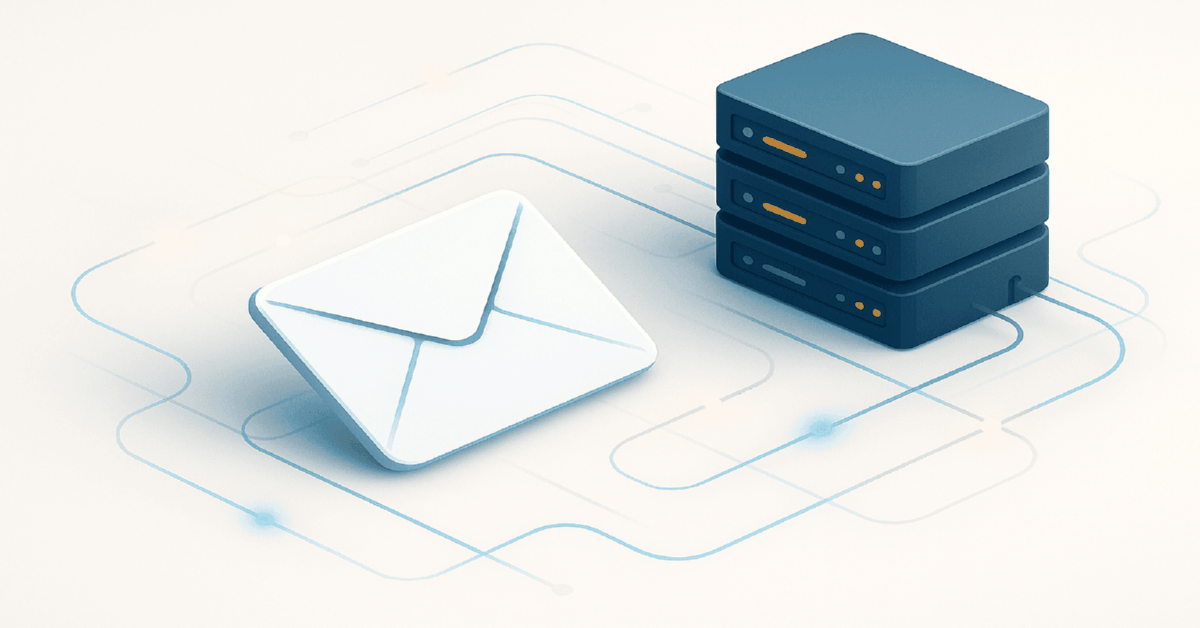


Summary:
- The delivery path: ESP/CRM → sending SMTP → DNS/MX lookup → relays → provider verdict (Inbox/Promotions/Spam/reject).
- The sending SMTP enforces rate limits, validates sender settings, talks in steps, and surfaces precise status codes.
- MX routing uses priorities and failover; big providers shift traffic by region, load and outages, adding extra hops.
- Throttling and queues delay campaigns via temporary replies; sudden volume spikes from cold IPs erode placement.
- Frequent breakpoints: DNS/SMTP misconfig, missing/incorrect SPF, DKIM, DMARC, weak domain/IP reputation, poor list hygiene.
- Filters score technical signals, content structure (HTML, text–image ratio, links) and engagement (opens, clicks, replies, moves).
- Operator view: 4xx = slow down and smooth volume; 5xx = fix authentication, policy/reputation issues, bad recipients.
Definition
Email deliverability in 2026 is the outcome of an SMTP-and-DNS pipeline where mailbox providers evaluate authentication (SPF, DKIM, DMARC), domain/IP reputation, message structure and subscriber engagement before placing mail. In practice you configure DNS and a capable SMTP stack, keep lists clean and segmented, control send patterns, and use 4xx versus 5xx replies to decide whether to slow down, retry, or fix identity and policy blocks.
Table Of Contents
- What really happens after you hit Send on a campaign
- Where deliverability breaks most often in 2026
- SMTP in plain English how servers talk to each other
- DNS SPF DKIM and DMARC how your domain proves it is legitimate
- How spam filters make decisions in 2026
- A practical framework for email deliverability in 2026
When a media buyer or lifecycle marketer says "our emails are not getting through", what is actually failing is a long chain of SMTP handshakes, DNS lookups, routing decisions and spam filters. In 2026 mailbox providers are much stricter about technical setup and subscriber behaviour, so understanding how this pipeline works is no longer a nerdy hobby but a survival skill for anyone who depends on email as a traffic and revenue channel.
If you are still mapping the role of email in the overall channel mix, it is worth first stepping back and looking at the funnel logic and business value of newsletters and triggered flows. A concise primer that explains how the email channel works and why brands rely on it lives here: the basics of email marketing for modern businesses.
What really happens after you hit Send on a campaign
The short version is this: your ESP or CRM submits the message to an SMTP server, that server looks up DNS records to find the destination mail server, passes the message along a route of relays, and the recipient’s provider finally decides whether the email belongs in the Inbox, Promotions, Spam or nowhere at all.
On the sender side everything starts with the email client or platform. It could be a bulk email service, a CRM, a custom script or a classic webmail interface. The client opens a connection to your SMTP server, authenticates, announces which domain and address it is sending from, to whom the message should go and what the content looks like in headers and body.
Then routing kicks in. The SMTP server asks DNS: "which mail servers are responsible for this recipient domain?" DNS answers using MX records that describe the infrastructure for gmail.com, outlook.com, local ISPs and so on. Depending on where the mailbox lives, the email may travel through several intermediate servers, but for the marketer it still looks like one continuous delivery.
How the sending SMTP server behaves
Your sending SMTP server is essentially an air traffic controller for email. It enforces rate limits, blocks obviously bad traffic, and decides in what order to contact different mailbox providers. Before it talks to the destination it already checks internal rules: whether this IP is allowed to send, whether the envelope sender matches your domain settings, and whether the message size and format are acceptable.
As soon as it initiates a conversation with the remote server, every step can succeed or fail with a precise status code. Those codes later surface in your ESP dashboards as delivered, deferred, soft bounce, hard bounce or blocked. For anyone running serious campaigns, learning to read them is as important as reading platform logs in paid media.
How routing and MX records decide the path
When the sending server performs a DNS lookup it retrieves MX records for the recipient domain. Each record has a priority value and a hostname. The server first tries the lowest number, and if that endpoint is overloaded or unavailable it moves to the next one. Behind these MX records big providers run distributed clusters that shift traffic by region, load and failover conditions.
You never see this complexity in your ESP UI, but every extra hop is another potential point of delay or rejection. Large spikes in volume from a cold IP may cause mail to be throttled or temporarily deferred, which in turn can slow down an entire campaign and skew conversions for time sensitive offers.
Under the hood: throttling, queues, and why volume spikes quietly kill Inbox placement
In 2026 most mailbox providers do not "ban" you instantly. They apply throttling: the receiving server slows acceptance, returns temporary replies, and forces your sending SMTP to hold messages in a queue and retry. For a marketer it looks like "the campaign is still sending", "deliveries are delayed", and conversions drop on time sensitive offers even though the copy did not change.
Operationally this is a trust test. Providers reward predictable volume and punish sudden bursts from a cold IP or a new domain. If yesterday you sent 5k and today you push 80k, the same message can land in Promotions or Spam not because of wording but because your sending pattern screams risk. The fix is rarely "write a new subject line". It is shaping traffic: slow down, segment, let the queue drain cleanly, and grow volume in steps so the provider sees a stable sender, not a one day blast.
Where deliverability breaks most often in 2026
In 2026 the most common points of failure are basic DNS and SMTP misconfigurations, missing or incorrect SPF DKIM and DMARC records, weak sender reputation for the domain and IP, and poor list hygiene that drives bounces and spam complaints. All of this feeds directly into deliverability. For a deeper dive into how SPF, DKIM, DMARC and even BIMI influence this picture, it is worth reading a detailed guide to DNS settings for email deliverability.
If you group issues into categories the picture becomes clearer. Technical problems prevent the remote server from trusting your identity. Reputation problems make providers suspicious even when the tech stack is clean. Data problems mean you keep mailing people who do not exist or do not care. Content problems trigger spam filters even for otherwise healthy senders.
Why list quality is still the number one lever
Mailbox providers watch how their users interact with your mail. A list full of abandoned inboxes, bots and scraped addresses produces no opens, no clicks and a lot of bounces. That pattern screams low value and potential abuse, so the filtering layer slowly pushes more of your traffic into Promotions and then Spam.
For media buyers used to squeezing every impression out of an audience, it can feel counterintuitive to hold back on volume. But with email the healthiest move is often to prune hard, focus on the most engaged subscribers and rebuild reach gradually from a position of strong engagement data.
Expert tip from npprteam.shop, email and traffic infrastructure specialist: "When you see a sudden drop in deliverability, do not blame only the last subject line. Break the problem into layers: domain, IP, list, content and sending pattern. Usually it is three small issues stacking together, not one dramatic mistake."
SMTP in plain English how servers talk to each other
SMTP is the protocol that allows mail servers to have a structured conversation about every single message. One side opens the connection, both sides agree on who is speaking, the sender names the author and the recipient, then streams the content and waits for a final verdict. The whole email ecosystem sits on top of this very old but still fundamental language.
From a distance the process looks similar to an HTTP request, but SMTP is more chatty. Every stage is explicit and every response is codified. That makes it extremely useful for diagnostics. If you take the time to log SMTP exchanges you can often see exactly where a specific provider starts to push back on your volume or policy.
Core SMTP commands without the jargon
The core command set is small. The sender says HELO or EHLO to introduce itself. Then MAIL FROM declares the envelope sender address and RCPT TO specifies each recipient. When the server sends the DATA command, it starts transmitting headers and body until the message is complete.
After every step the receiving server replies with a three digit status code. Codes starting with 2 mean success, 4 indicate a temporary issue and 5 signal a permanent failure. When you translate these responses into human language inside reporting, you get much more nuance than a simple delivered versus bounced view.
Reading SMTP outcomes like an operator: a fast translation from status to action
A simple rule removes guesswork: 4xx replies are temporary, 5xx replies are permanent. Temporary outcomes usually mean throttling, greylisting, or short term reputation pressure. Permanent outcomes usually point to policy blocks, authentication issues, or bad recipients.
| Dashboard signal | What it usually means | First action that helps |
|---|---|---|
| Deferred / 4xx | Rate limiting, queue retries, trust not earned yet | Reduce send rate, smooth volume, isolate colder segments |
| Blocked / 5xx | Provider policy block, reputation or auth failure | Verify SPF DKIM DMARC alignment, review complaint sources |
| Hard bounce | Nonexistent mailbox or invalid domain routing | Clean lists, stop mailing that segment, audit lead sources |
The key nuance: lots of 4xx errors is often a "slow down and behave" message from the provider, not a content verdict. Lots of 5xx blocks usually mean something is fundamentally wrong with identity, list quality, or reputation. This translation saves days of blind testing and points you to the exact layer that is failing in the delivery chain.
Modern SMTP extensions in 2026
Modern SMTP servers almost always run over encrypted channels so credentials and message content are not exposed. They also rely on extensions that advertise capabilities such as maximum message size, authentication mechanisms, support for delivery status notifications and smarter queuing policies for bulk campaigns.
For a practitioner this means the choice of SMTP provider is a strategic decision. You want infrastructure that can slow down automatically when a mailbox provider starts throttling, surface raw error codes, segment traffic per region and help you warm up new IPs and domains without burning them on day one. A practical comparison of these trade offs is laid out in the guide to choosing an SMTP provider and mail infrastructure.
DNS SPF DKIM and DMARC how your domain proves it is legitimate
DNS for email is more than pointing the website to a server. It also tells the world which hosts may send mail for your domain and how receivers should validate those messages. A handful of DNS records SPF DKIM and DMARC turn a random domain into a transparent, predictable sender in the eyes of Gmail Outlook and local providers.
In practice this shows up as a short checklist for your technical team, but the logic behind it is simple. SPF describes which servers are allowed to send. DKIM signs outgoing messages with a cryptographic signature to protect content integrity. DMARC ties SPF and DKIM together into a policy that defines how strictly receivers should treat failures.
SPF who is allowed to send as your domain
An SPF record is a TXT entry in DNS that lists IP addresses and hostnames that are authorized to send email for your domain. When a message arrives the receiving server compares the sending IP against this list. If it is not present, the message fails SPF and loses trust immediately.
A classic failure pattern is connecting multiple ESPs cold outreach tools and transactional systems to a single domain but never updating SPF. Suddenly a big slice of your traffic is technically coming from unauthorized hosts. From the provider point of view this looks a lot like spoofing or careless configuration and they respond by tightening filters.
DKIM and DMARC signature and high level policy
DKIM adds a digital signature to each email. Your server signs the message with a private key, while the matching public key is published in DNS. The recipient’s provider verifies that signature. If the content was changed en route or the sender is lying about its identity the check fails and the message is treated with suspicion.
DMARC defines how strictly to enforce these checks and where to send machine readable reports. Inside a DMARC policy you can ask receivers only to monitor, to quarantine failures into Spam or to reject them at SMTP level. Reading these aggregated reports weekly gives you a surprisingly clear dashboard of who else is trying to use your domain and how often your own traffic fails authentication.
Expert tip from npprteam.shop, email policy specialist: "Treat DMARC reports the same way you treat performance dashboards in paid media. If you never look at them, you only see problems when everything is already broken. A ten minute weekly review is often enough to catch new spoofing attempts or broken keys before deliverability tanks."
How spam filters make decisions in 2026
Modern spam filters no longer rely on single keywords or raw complaint counts. They use layered machine learning models that mix technical signals, message content and engagement behaviour. In 2026 authentication and engagement are the two biggest dials you can influence as a sender.
Think of every large provider as running a private scoring system for your domain and IP. Every sent campaign either nudges that score up or down. Cleanly authenticated messages to engaged subscribers push it up. Sudden volume spikes to cold lists, high complaint rates and sloppy HTML push it down. Once the score drops below a threshold, Inbox placement quickly erodes. A separate breakdown of technical reasons why emails end up in Spam can help translate these abstract signals into конкретные действия.
What content level factors still matter
Content filters inspect much more than "spammy" words. They care about the structure of HTML, ratio of text to images, quality of links, presence of tracking parameters, clarity of unsubscribe options and general rendering quality in popular clients. Messages that look like broken landing pages inside the inbox raise red flags even if authentication is perfect.
For media buyers that come from aggressive ad creatives this often requires a mindset shift. Email is not the place for screaming one frame banners and ultra short copy. Providers reward steady value, conversational tone and consistent branding. Long term revenue from the channel comes from trust, not just raw click bait.
Why engagement signals dominate filtering
Engagement has become the primary feedback loop for mailbox providers. They track opens, clicks, replies, how often someone moves a message out of Spam, and how quickly people delete your mail without reading. High positive engagement gives you a cushion against occasional technical issues. Low engagement amplifies even minor configuration problems and leads to more aggressive filtering.
This is why send frequency and segmentation matter. If you hammer every contact with every blast you are teaching providers that most users ignore you. If you pace communication, respect recency of activity and local preferences, you teach the opposite story and win more Inbox placements over time.
A practical framework for email deliverability in 2026
The practical approach in 2026 rests on three pillars. First you build a solid technical foundation domain DNS authentication and a competent SMTP stack. Then you invest in list quality from acquisition through cleaning and segmentation. Finally you manage sending patterns the way you manage impressions and frequency in paid traffic, with a clear strategy instead of random blasts.
At the infrastructure level you want fully configured MX SPF DKIM and DMARC records, tested with multiple tools and mailbox providers. You want sending IPs and domains that are warmed up gradually, not thrown straight into high volume cold outreach. You want monitoring in place so you notice shifts in bounce codes and spam placement quickly. In cases where you need a pool of ready-to-use inboxes for testing flows or scaling traffic, it can be faster to work with prewarmed Gmail accounts tailored for bulk operations or broader sets of email accounts for registration and mailing instead of building everything from scratch.
Reading deliverability metrics like a media buyer
To manage email like an inventory source you need to think beyond opens and clicks. Look at the share of delivered versus sent, bounce breakdown, complaint rates, Inbox versus Spam placement on test seeds and engagement curves over time. These numbers tell you how much "reach" you actually have and how fast you are burning it.
If delivered volume is flat but opens and clicks are concentrated in an ever smaller slice of the list, your effective reach is shrinking. The right reaction is not always to push harder. Often it is to reset expectations, slow down cadence for cold segments, tighten targeting and invest in better onboarding and content for new subscribers.
Expert tip from npprteam.shop, email strategy lead: "Treat your sending domain and IPs as premium ad placements you rent from mailbox providers. The more respectfully and predictably you use them, the more high quality impressions they will let you buy in the form of Inbox placement. Abuse them and the inventory quietly disappears."
Translating paid media thinking into email operations
For teams already fluent in media buying the mindset transfer is straightforward. Deliverability is your impression share. Engagement is your CTR. Revenue per recipient is your ROAS. Sending to an unengaged list is like blasting broad audiences with a low relevance score in ads. It might spend, but it slowly ruins the account.
Once you see the parallels it becomes much easier to justify technical work on DNS records, IP warm up, list hygiene and content quality. Those tasks stop being "backend chores" and turn into core levers for performance. In 2026 the brands that win in email are not the loudest but the ones that treat the channel as a high value inventory to be managed with care.

What is retargeting in Facebook Ads and why even small businesses need it?
If you are just setting up your stack or want a birds eye view of how the channel actually operates,...

Instagram Stories: 3-5 slide scripts and "soft" CTAs
Before you map Story chains, it helps to zoom out and see how paid distribution behaves on the platform. For...

Snapchat Collaborations: how to negotiate and measure mutual growth?
Snapchat collaborations in 2026 what they really do for sustainable growthPartnerships on Snapchat convert reach spikes into durable habit only...


