





















Server architecture: channels, roles, rights, bots in Discord
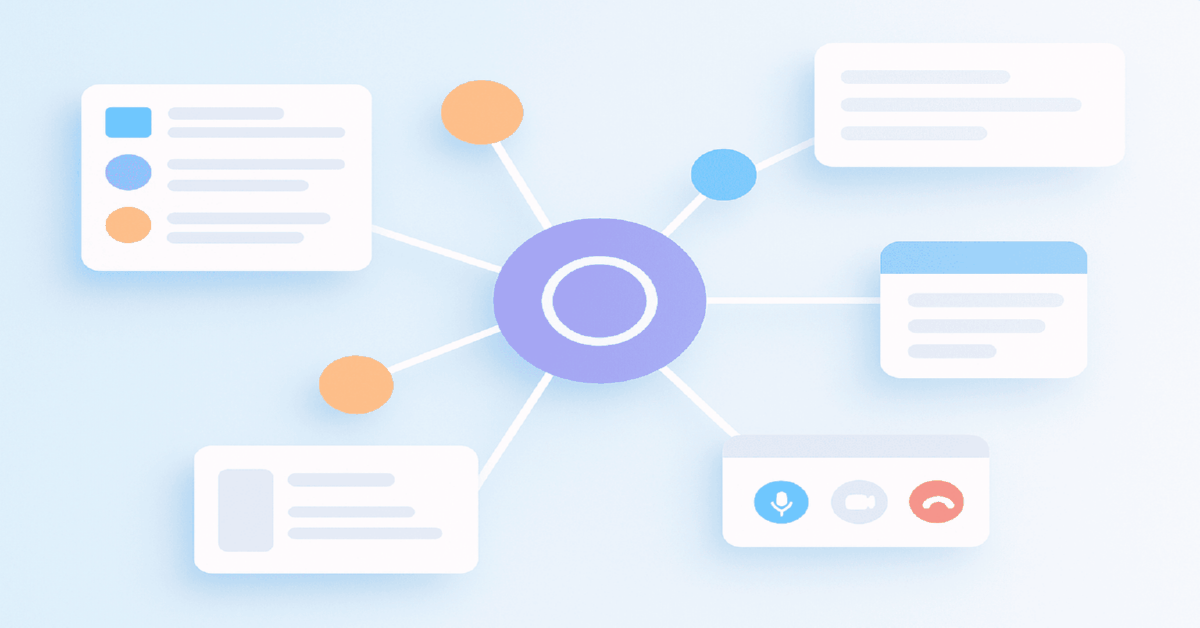


Summary:
- Architect the server like a product: onboarding, user journeys, observability; channels, roles, permissions, bots are the four building blocks.
- Fewer noisy rooms: text for daily talk, forums with tags/templates, threads, voice/stage for live, private categories for paid tiers and partners.
- Funnel lattice: welcome+rules+role picker, start-here, vertical forums, case lanes, lounge/niche rooms, tickets + changelog, pinned offer cards.
- Partition by scenario ("creative critique", "landing review"), then keep one obvious channel per first-step in the journey.
- RBAC: role order resolves power; deny-by-default in categories; limit Manage Messages, Mention everyone, Manage Webhooks; test with Auditor.
- Bots + ops: automate roles, verification, antispam, ticketing, logs; measure conversion and ticket SLA, forum/thread share, retention and repeat voice; ship changes as small releases with reviews.
Definition
Deliberate Discord server architecture is a product-style way to structure channels, roles, permissions, and bots so onboarding stays frictionless, conversations stay high-signal, and access risks remain predictable. In practice you map the newcomer journey, build an RBAC ladder, deny by default at the category level with documented exceptions, add bots for roles/tickets/antispam with audit logs, then review metrics and ship small, changelogged releases.
Table Of Contents
- Why a deliberate Discord server architecture pays off for brands
- Channels that match the funnel rather than topics
- How do you blueprint the channel tree without clutter?
- Roles and the RBAC ladder explained in plain English
- Permissions you should treat like production firewalls
- Bots that enhance experience rather than hijack it
- Antispam and raid resilience without hurting good users
- Under the hood of a quiet and fast server
- Which server archetype should you pick for your goal?
- Permission map and three sturdy role presets
- How to tell if your architecture actually works
- Typical mistakes and their repairs
- Onboarding that removes hesitation
- Integrations that bring Discord into your marketing stack
- Moderation as a service, not a punishment
- Starter presets you can deploy in an afternoon
- Fine tuning voice and Stage so live sessions feel premium
- A compact onboarding and logging spec you can steal
- FAQ for 2026 architects
- Anchor model to remember
Why a deliberate Discord server architecture pays off for brands
A well designed Discord server reduces moderation toil, raises signal over noise, and converts newcomers into engaged members who contribute and buy. For media buyers and growth marketers this translates into clear channels mapped to funnel stages, an opinionated role ladder, predictable permissions, and automation that amplifies—not distracts from—human conversations.
If you are just orienting yourself, start with a high level explainer on where Discord fits in business workflows — a practical primer for teams adopting Discord that frames use cases and expectations.
Quick compass: architect your server like a product with onboarding, user journeys, and observability. Channels host formats of talk, roles encode responsibility and status, permissions guarantee safety and predictability, and bots automate repeatable scenarios without spamming.
Channels that match the funnel rather than topics
In 2026 the winning pattern is fewer noisy rooms and more purpose built spaces. Text channels handle day to day talk, Forum Channels capture evergreen threads with tagging and templates, Threads branch discussions without fragmenting the sidebar, Voice channels and Stage Channels power live sessions, and private categories gate paid tiers and partner work.
Voice is one of those surfaces that either feels effortless or immediately painful. If your team keeps dropping calls, echoing, or talking over each other, you’ll see it in engagement fast. A practical refresher on how to set up calls cleanly (including push to talk for noisy environments) is here: voice channels and push-to-talk in Discord.
A practical channel lattice for the journey
Onboarding starts with a concise welcome, a rules summary, and a roles picker. Expertise lives in forums for verticals, a casework lane with strict templates, and a curated resources shelf. Community breathes in a general lounge, niche rooms, and low pressure voice coffees. Service is covered by tickets, a private helpdesk, and a change log. Monetization sits in subscriber only categories, partner bays, and pinned offer cards. If you need a no fluff starter, here’s a step by step guide to spin up the basics fast — your first server in about ten minutes.
If you want an even more minimal blueprint (the kind you can deploy for a small team or a short sprint), it helps to look at "school project" style layouts: few channels, clear roles, zero clutter, and fast onboarding. This guide shows the logic well and translates directly to small brand pods: a simple Discord server setup for study and projects.
Also, don’t underestimate "soft" community rooms. A music corner or a hobbies lane is not fluff—it’s how you keep people in the server between intense work cycles. If you need ideas on how to structure these rooms so they stay alive (playlists, prompts, lightweight formats), use this reference: how to run music and hobby spaces in Discord.
Design spaces for decisions, not just interests
Members don’t join a room called "native ads" to browse randomly—they arrive to solve a concrete job. Partition by scenario such as "creative critique," "landing review," or "policy clarification," then use tags and prefixes to keep order inside the scenario.
How do you blueprint the channel tree without clutter?
Work from a map of first steps: joined, understood the norms, picked interests, asked the first question, found peers, contributed value. Each step deserves a single obvious channel. Anything that splits attention or creates hesitation belongs in a forum template or a ticket, not in the main hallway.
Applied UX: the welcome channel contains three giant steps—skim rules, pick roles, ask here. A 60 second screencap pinned at the top consistently outperforms walls of text for time to first action.
Roles and the RBAC ladder explained in plain English
Discord resolves power from top to bottom in the role list. Higher roles can manage lower ones and override their settings. First sketch the accountability ladder, then bind permissions to it, then apply it to categories and channels. Keep names and colors meaningful because they also act as UX labels for newcomers.
A minimal but expressive role set
Administrators govern strategy and integrations. Moderators maintain hygiene. Editors and authors publish structured content. Verified members act as trust anchors. Partners and sponsors see private bays. Subscribers unlock premium rooms. Guests are sandboxed until they pass verification.
Deny by default, allow intentionally
Secure configurations begin at the category level by disallowing everything for @everyone and then granting only what a role truly needs in each channel. This prevents accidental leaks, reduces social engineering, and keeps future audits simple.
Permissions you should treat like production firewalls
Place a single source of truth in categories; alter individual channels only for documented exceptions. Reserve Manage Messages, Mention everyone, and Manage Webhooks for a tiny group. Allow Attach Files and Embed Links where they serve the purpose and never in the lobby. Run periodic permission reviews using a test role that mimics a new member. When you’re ready to quantify outcomes, this walkthrough helps with measurement and attribution: metrics that matter for Discord.
Field test: create a role named Auditor, position it just above Member, and walk the entire onboarding path. If the auditor can see sensitive logs or cannot complete a critical action, your map needs work.
Bots that enhance experience rather than hijack it
Bots are priceless when they automate repeatable flows: reaction based role assignment, antispam, support tickets, changelog posts, verification, and highlights of helpful threads. They are harmful when they DM more than humans, post without rate limits, or operate without an auditable trail.
Frictionless onboarding with buttons or reactions
Use a single screen for specialization and access. The shorter the flow and the clearer the button text, the higher the conversion to first message. One choice leads to one next step that is pinned and obvious.
Tickets that respect privacy and speed
A member taps a button, a private channel opens with a form asking for niche, goal, and data, a moderator claims it, and a summary is posted on closure. Capture satisfaction with an emoji scale and archive resolved tickets for searchable learning. Concerned about abuse or raids? See this playbook on moderation, privacy, and anti raid tactics.
Antispam and raid resilience without hurting good users
Strong baselines include verification gates, slowmode for fresh accounts, link filters with deny lists, rate limits for mass mentions, and restricted media until verification. Send bot events to a closed log channel and enable the audit log for every administrative action so that post mortems have facts, not guesses.
Clear escalation and appeal
Write the ladder: gentle DM warning, timed mute, timed ban, permanent ban. Paid roles receive a private appeal path through tickets. Aggregate incidents monthly to adjust rules before they snowball into a reputational issue.
Under the hood of a quiet and fast server
Categories are the logical containers, forums absorb long lived topics that used to bloat general chat, tags enable deep search, and templates convert tribal knowledge into reusable checklists. Keep system channels for bot logs and alerts in a sealed category inaccessible to members to preserve signal in the public areas.
Implementation details: set guardrails at the category first, override sparingly; order roles to mirror status and responsibilities; maintain a runbook for bots with owner, scopes, webhook endpoints, and log destinations; label every exception with a reason in the channel topic.
Operational governance: keep architecture consistent as the team scales
Most servers do not fail from one big mistake. They decay through permission drift and "quick fixes": a new channel appears, a role gets temporary access, a bot receives extra scopes, and the onboarding path stops being predictable. The cure is lightweight governance that makes changes visible and reversible.
Assign three owners: one for channels, one for permissions, one for bots. Route requests through a single place and ship updates as small releases in server-changelog: what changed, why, who approved, and how to roll back. Before any permission change, validate with an Auditor role and a fresh-account walkthrough. Every two weeks, run a ten minute hygiene pass: merge dead rooms, move long-lived topics into forums, remove unowned exceptions, and confirm the first three steps still fit on one screen. This protects time to first action while keeping moderation load flat.
Change management for Discord: releases, ownership, and safe rollbacks
Growth breaks architecture through silent drift. Someone adds a channel "for now", a moderator grants a permission to solve a one off, a bot receives extra scopes, and a month later the server behaves unpredictably for newcomers. The fix is to treat structure like product configuration with releases and owners.
A simple protocol works: assign one owner for channels, one for permissions, one for bots. Every change ships as a small "release" in a single changelog room: what changed, why, who approved, and how to roll back. Test permissions with an Auditor role first, then apply to categories, and override channels only when documented. Every two weeks run a ten minute review: rooms with no activity get merged or moved into forums, exceptions are either justified or removed, and onboarding is re walked with a fresh account. This keeps time to first action stable while moderation toil stays flat as you scale.
Which server archetype should you pick for your goal?
Different goals require different compromises. A product community, a paid guild, and a partner hub exhibit distinct patterns for public exposure, moderation strictness, and automation density. The table captures the common tradeoffs to guide your initial design.
| Use case | Channel layout | Role model | Moderation stance | Risk profile |
|---|---|---|---|---|
| Product community | Few public rooms, forums for features, release notes channel | Support, Editors, Verified users | Medium, rely on tickets and templates | Low, biggest threat is stagnation |
| Paid guild | Private categories, voice salons, Stage for events, archives | Tiered Subscribers, Curators | High, publish guidelines and verification | Medium, leakage and account sharing |
| Partner hub | Public showroom, private partner workrooms | Partners, Reviewers, Moderators | High, antispam and link scanning | High, spam and reputational blowback |
Permission map and three sturdy role presets
Use a compact permission matrix as a negotiation artifact between admins and moderators. Presets cover most cases and make audits faster while leaving room for channel level exceptions where needed.
| Action | Member | Author or Editor | Moderator |
|---|---|---|---|
| Read and post in public rooms | Allowed | Allowed | Allowed |
| Attachments and embeds | Limited per channel | Allowed in work lanes | Allowed |
| Create threads or forum posts | Allowed with tags | Allowed with templates | Allowed with queue control |
| Delete messages | No | No | Yes in assigned zones |
| @everyone/@here mention | No | No | Restricted by policy |
| Manage webhooks and integrations | No | No | Yes |
Permission risk model: prevent webhook abuse, phishing, and access leakage
Permissions are not "settings"; they are your security boundary. Most disasters come from three rights granted too broadly: Embed Links, Attach Files, and Manage Webhooks. The first two enable spam and phishing in high traffic rooms, the last one enables message spoofing and reputation damage when misused. A practical approach is to run a risk based permission matrix tied to channel classes.
Class rooms into Lobby, Work lanes, and Service zones. Lobby stays strict: no links for new members, limited media, no broad mentions. Work lanes allow links and files only where they serve the job, often behind Verified. Service zones are sealed for logs, ticket machinery, and bot output with access limited to staff roles. Any exception must be labeled in the channel topic with a reason and expiry. This model reduces social engineering, makes audits fast, and protects conversions by keeping public areas clean and predictable.
How to tell if your architecture actually works
Read the curves. Onboarding conversion from Joined to Role Assigned to First Message reveals friction. The share of messages that live in Threads and Forums rather than the lobby reflects structure. First response time in tickets and the percentage of resolved tickets indicates service quality. Cohort retention and repeat voice attendance prove long term value. For a deeper framework, explore analytics for Discord communities.
Scaling triggers: when to move to forums, split categories, and redesign onboarding
"More members" should not automatically mean "more channels." Scale by structure, not by volume. The signal to shift from chat to forums is repeated questions, deep threads that bury answers, and a rising share of messages in the lobby that do not map to a clear job. Forums with tags and templates turn repetition into searchable assets and reduce support tickets.
Use three triggers: if newcomers need more than one minute to find where to post, simplify and re-pin the path; if the lobby absorbs more than ten percent of messages that belong elsewhere, introduce scenario lanes and move long discussions into Forum Channels; if staff spends too much time redirecting users, split one broad category into two based on journeys, not topics. Rework onboarding whenever you change the first action, otherwise join rate may stay stable while retention drops.
Operating thresholds that keep teams honest
Aim for sixty to eighty percent of newcomers picking a role within a day, thirty to fifty percent posting a first message within a week, under ten percent of messages outside intended rooms, and sub hour median ticket response during office hours. Review these thresholds monthly with the moderation team.
Typical mistakes and their repairs
Too many rooms dilute attention; merge by scenario, move long tail questions into forums with strict templates, and pin a cross server navigation card. Permission conflicts emerge when channels override categories excessively; reset in categories and re allow on purpose. Bot spam drains patience; cap notifications, separate noisy logs from critical alerts, and rate limit broadcasts. Weak verification invites raids; add reaction gates, restrict media for newcomers, and manually vet paid tiers. Silent voice rooms signal bad expectations; publish a timetable, host office hours, and use a reminder bot. For hands on guidance while setting up, this starter is handy: https://npprteam.shop/en/articles/discord/how-to-create-your-first-server-in-discord-in-10-minutes-without-bots-and-difficulties/
Onboarding that removes hesitation
The welcome room greets with a tiny code of conduct, a clickable map of the server, and a role picker. The start here space holds examples of good questions and links into the working lanes. The first member journey should be linear: pick a role, post a question, receive a response, and be nudged into a forum thread tailored to their niche.
Micro UX that compounds: use emoji as pictograms for role labels, style pins consistently, avoid long rulebooks, and rely on a visual map of three steps that anyone can follow in under a minute.
Expert tip from npprteam.shop: Always draw the behavior map before you create channels. Any new room must answer which behavior it amplifies and which metric it improves.
Integrations that bring Discord into your marketing stack
Use webhooks to stream release notes from issue trackers into a dedicated channel, convert form submissions into tickets, and ship activity summaries into a data table for cohort analysis. Feed churn risk lists into targeted events or AMAs and measure re engagement after each intervention.
Data hygiene: keep service channels for integration logs, separate noisy webhooks from critical alerts, store bot configs in a private repo, and document change control for permission updates and integration scopes.
Expert tip from npprteam.shop: Give every bot a work passport listing owner, scopes, configs, and log destinations. Night time incidents become five minute fixes when your runbook is complete.
Moderation as a service, not a punishment
The job of moderation is to protect discussion quality and safety while enabling productive friction. Phrase rules positively. For contentious topics, move posts into forums with mandatory tags and a short form that asks for goal, niche, and data. Structured prompts lower temperature and raise usefulness. When risks spike or raids appear, rely on this guide to practical moderation and anti raid defenses.
Trust building moves: publish a monthly transparency note with counts of warnings and bans, policy tweaks, and learnings. This reduces drama and aligns expectations without naming and shaming.
Expert tip from npprteam.shop: Disable global mentions for everyone and gate them behind an announcements role with a strict cadence. Mass pings are the fastest path to notification fatigue and churn.
Starter presets you can deploy in an afternoon
If you need to go live today, deploy a "Two hour start" preset: a public category with welcome, rules, and start here; a work category with a Questions forum and a Cases lane; and a service category with tickets and logs. Roles include Member, Author, Moderator, and Subscriber. Newcomers cannot post media; links are restricted to work lanes and the cases forum.
Week one expansion: add subscriber only rooms, a calendar of voice slots pinned in announcements, and a partner showroom with a separate moderation queue. Scaling the team fast? You can buy Discord accounts to provision additional roles and working profiles without blocking launches.
Fine tuning voice and Stage so live sessions feel premium
Voice works when the schedule is consistent and expectations are clear. In Stages, pre assign speakers, restrict raised hands to Verified until after the first contribution, and publish recordings into an archive channel with timestamps. Use a lightweight bot to push a heads up ten minutes before each event and make the join path one tap from the announcement pin.
Experience details that matter: turn off auto mute for the Speakers role, ensure move members permission is limited, and test the flow from calendar → announcement → Stage with a fresh account weekly.
A compact onboarding and logging spec you can steal
Rules is a single screen with the social norm and the map. Get roles contains crisp buttons with one line explanations. Start here shows what a good question looks like and where it goes next. In parallel, logs security tracks antispam actions, logs bots collects automation events, and mod inbox houses internal discussion.
Continuous QA: once a week, walk the newbie path, record extra clicks and dead ends, and delete or rewrite anything that blocks first action. No growth loop beats removing a single unnecessary step for a thousand people.
FAQ for 2026 architects
Do you need many channels? No. Prefer forums and tags to a long sidebar. Do you need complex roles? No. Keep four to six levels with explicit responsibilities. How do you avoid bot bloat? Maintain an inventory and enable only automations that save moderator time or improve member experience.
Anchor model to remember
Server architecture is a four part system. Channels are designed for journeys and jobs, roles mirror responsibility and status, permissions enforce safety and predictability, and bots automate repeatable tasks with restraint. When each part answers a clear why and is validated by metrics, Discord becomes an operating system for community and growth rather than another noisy chat room.

Creative fatigue in Facebook Ads how to extend lifespan in 2026
Creative fatigue accelerates as audiences saturate and Meta’s delivery system optimizes toward familiar patterns. The 2026 playbook centers on faster...

How do you distinguish good traffic from "junk" traffic on Twitter?
If you’re new to the channel and want a crisp primer before diving into diagnostics, start with a quick walkthrough...

Content ownership models: "account play" vs "key" vs "gift" vs "subscription" — comparative matrix
Content Ownership Models in 2026: Account-Based Game vs Key vs Gift vs Subscription — A Comparative MatrixIf you do media...


